Watercolor paintings possess a unique charm that distinguishes them from other artistic mediums. The fluid interaction of colors on paper creates an organic, dynamic quality. Pigment settles on the surface, producing soft edges and spontaneous color transitions.
Skilled watercolor portraiture demonstrates genuine artistic mastery. Artists must collaborate with water and pigment, allowing natural processes to contribute to the final result. Success isn’t measured by precise linework but by capturing emotion and luminosity. Skin tones appear soft, light falls gently across features, and compositions acquire an ethereal quality.
This explains watercolor portraits’ enduring popularity. They convey intimacy and artistic sensibility that photographs or digital renders cannot replicate. Watercolor paintings radiate inherent warmth.
Gemini’s Nano Image Model Can Do This Now
Google’s Gemini has gotten really good at image editing. The nano image model specifically is designed to handle detailed photo work. I’ve been playing around with it, and I’m honestly surprised at what it can do.
You can take a regular photo and ask Gemini to turn it into a watercolor portrait. The results look genuinely artistic. Not fake. Not overly processed. Actually painted.
You just need to go to gemini.google.com or open your Gemini app, start a chat, upload your photo and use the following prompt.
Here’s the prompt I use. Copy and paste this directly into the chat:
Turn my photo into a realistic watercolor portrait with fine brush textures and vibrant color blending. Capture delicate skin tones, soft light reflections, and expressive facial details. Add visible watercolor textures with layered washes, subtle gradients, and splashes of pigment around the edges. The overall style should look hand-painted on textured paper, with artistic imperfections, brush strokes, and a natural watercolor bleed effect. Include soft background colors that complement the subject, blending smoothly into the portrait. Maintain lifelike proportions and a gentle artistic warmth.
Prompt Component Analysis
Let me explain why this prompt structure produces effective results. Understanding each element enables customization for specific preferences.
“Turn my photo into a realistic watercolor portrait”
Establishes the core directive: a watercolor portrait maintaining realistic human representation. Not stylized cartoon interpretation. Not exaggerated caricature.
“with fine brush textures and vibrant color blending”
Requests specific artistic details. Fine brush textures ensure visible brushstroke evidence. Vibrant color blending produces natural color transitions rather than flat, monotonous tones.
“Capture delicate skin tones, soft light reflections, and expressive facial details”
Emphasizes accuracy. Skin should display natural tonality with appropriate light interaction. Facial features must convey emotion and individual character. Prevents excessive abstraction or loss of subject likeness.
“Add visible watercolor textures with layered washes, subtle gradients, and splashes of pigment around the edges”
Defines authentic watercolor characteristics. Layered washes replicate traditional multi-layer application techniques. Subtle gradients create smooth color transitions. Edge splashes contribute the organic, partially uncontrolled aesthetic inherent to actual watercolor.
“The overall style should look hand-painted on textured paper, with artistic imperfections, brush strokes, and a natural watercolor bleed effect”
Requests elements that establish authenticity. Hand-painted implies non-mechanical execution. Textured paper adds dimensional quality. Artistic imperfections and visible brushstrokes prove essential—overly polished results lack authenticity. Watercolor bleed effect—where pigment spreads creating soft boundaries—defines the medium’s signature characteristic.
“Include soft background colors that complement the subject, blending smoothly into the portrait”
Addresses background treatment. Requires subtle, harmonious colors that avoid distraction. Background should integrate naturally, supporting rather than competing with the portrait subject.
“Maintain lifelike proportions and a gentle artistic warmth”
Ensures subject recognition. Preserves realistic proportions. Adds warmth—the inviting quality that distinguishes appealing portraits from cold, clinical representations.
Real Examples
Example 1: Woman Portrait
 How to Turn Your Photo into Beautiful Sketch Using Gemini Nano Banana
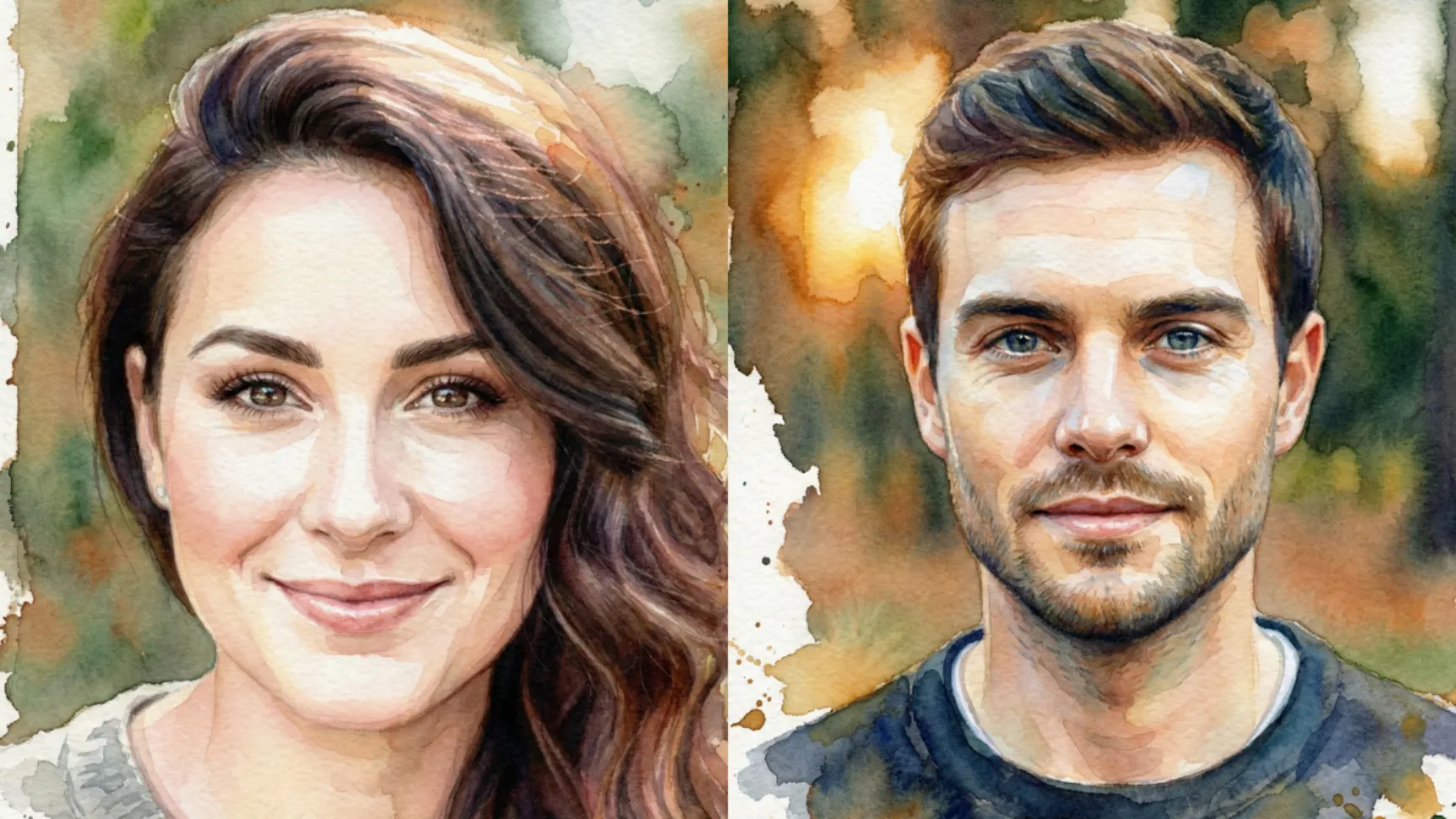
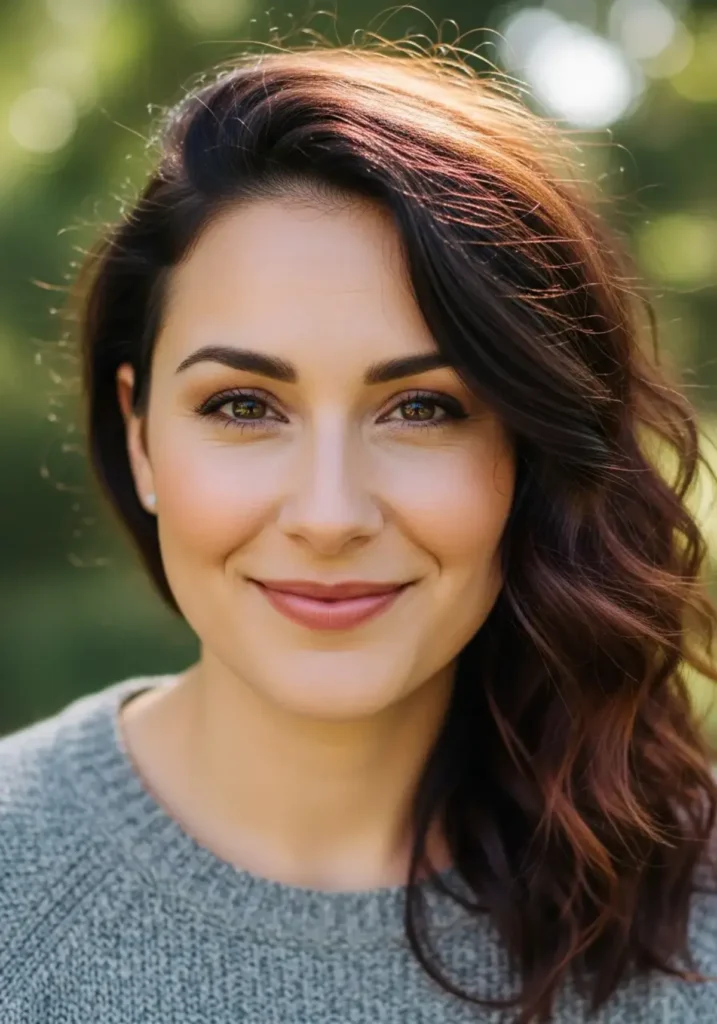
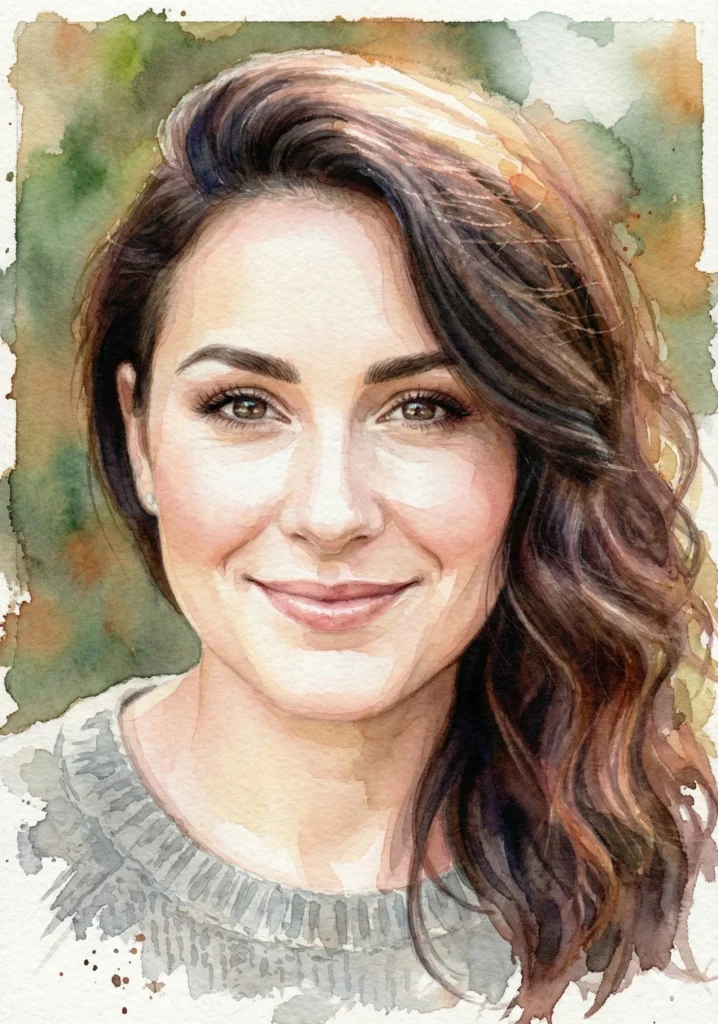
I took a standard headshot photo of a woman and ran it through Gemini with this prompt. The result was stunning. Her skin had this soft, watercolor quality with visible brushstrokes. The eyes kept their expression. The colors were vibrant but natural. The background faded into soft blues and oranges. It looked like a portrait a talented artist would paint.
 How to Create Cool Retro Quote Posters Using ChatGPT
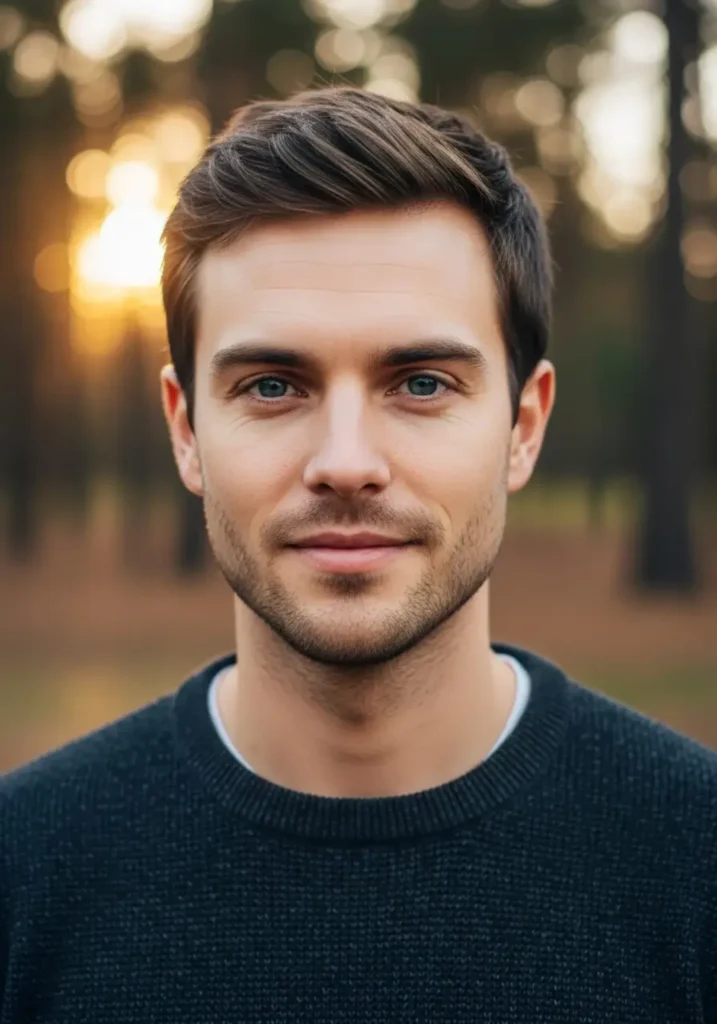
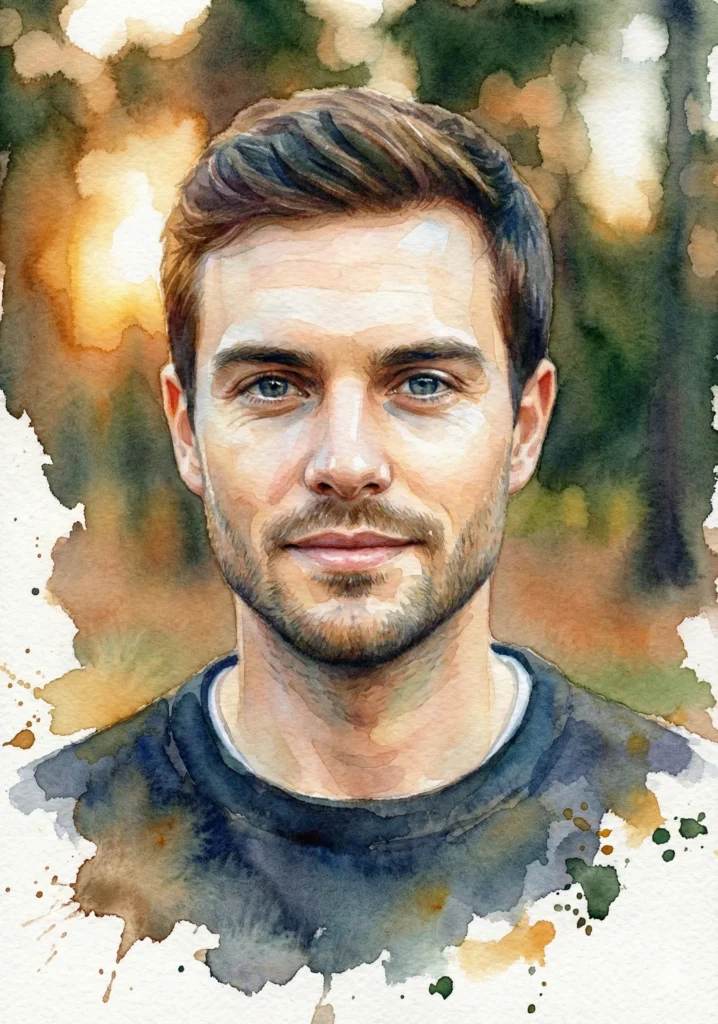
Example 2: Man Portrait
 How to Quickly Turn Your Photo into Cartoon Using ChatGPT
I did the same with a photo of a man. Same prompt, different photo. Again, the result was impressive. His facial features stayed accurate. The hair got this beautiful textured quality. The lighting looked soft and natural. The background complemented his skin tone without overwhelming the portrait.
 31 Art Styles for ChatGPT Image Generation
What surprised me was how well Gemini handled different skin tones and lighting. Both portraits came out looking like actual art, not AI-generated images.
Customization Options
The prompt structure accommodates modifications for specific aesthetic preferences. Consider these adjustments:
- Increased Abstraction – Add “more abstract interpretation” for heightened artistic stylization over realism.
- Subdued Palette – Request “muted, pastel tones” instead of “vibrant color blending” for softer coloration.
- Specific Color Schemes – Specify “dominated by warm earth tones” or “cool blues and purples” for targeted palettes.
- Artist-Inspired Styles – Append “in the style of [artist name]” to emulate particular artistic approaches.
Quality Assessment
Initial skepticism about AI-generated watercolor portraits proving artificial was unfounded. Results genuinely resemble authentic artwork. They convey personal character, warmth, and distinctive aesthetic qualities.
For those desiring watercolor portraits without commissioning artists or extended wait times, Gemini provides a viable alternative. Output quality meets professional standards. The process requires merely minutes.
Test it yourself. Upload a preferred photograph. Input the prompt. Evaluate the results. You may generate output worthy of printing and display.