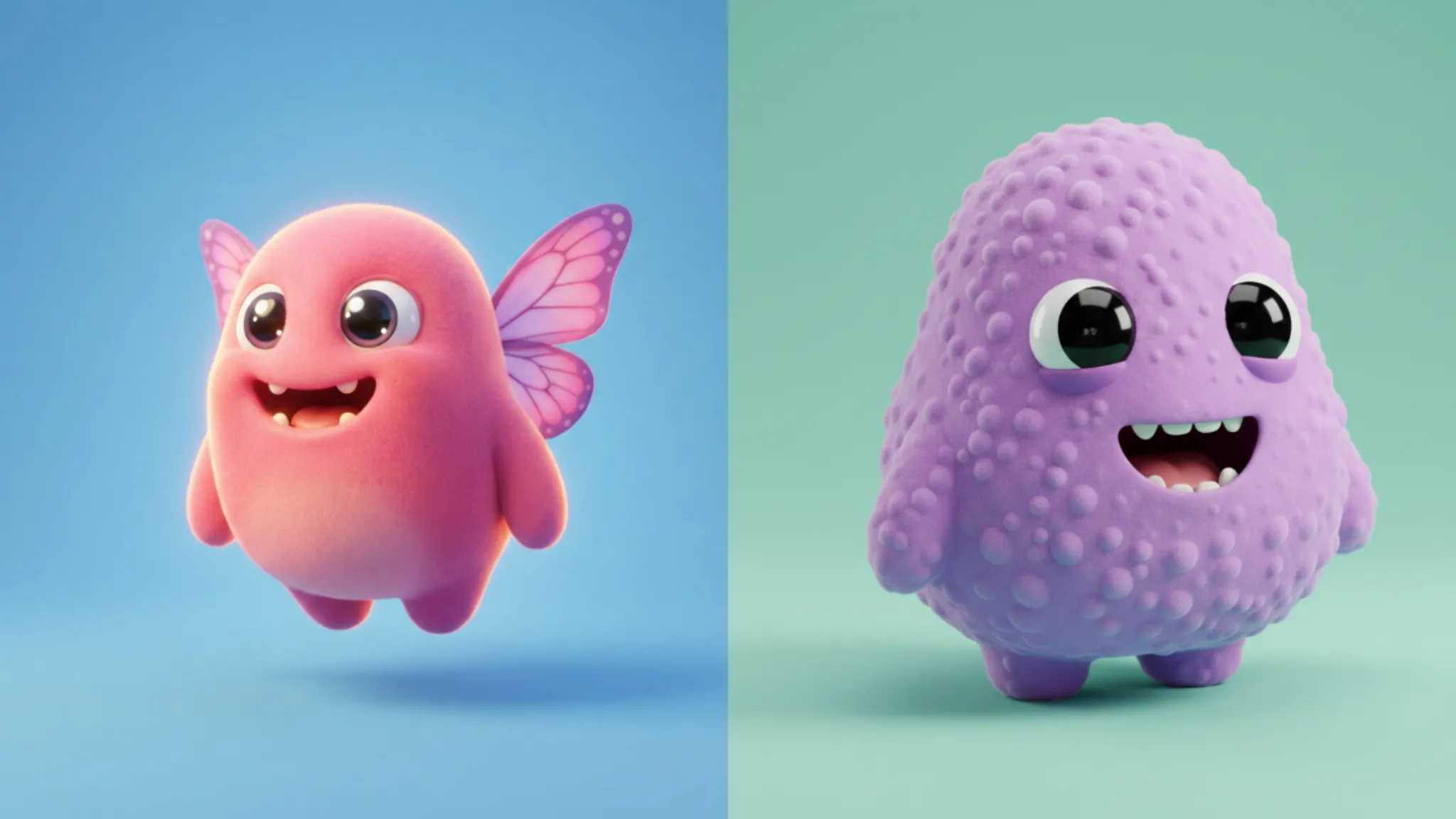
I’ve been having a blast creating cute little monsters using Google’s new Gemini Nano Banana image model. If you’ve ever wanted to design charming characters without any advanced art skills, this tool makes it incredibly easy.
What makes cute monsters so appealing is their personality. Each one feels unique. A monster with a bright smile and tiny butterfly wings gives off a totally different vibe than one with a playful smirk and a fluffy tail. Every character ends up telling its own story.
The Prompt Template That Works
After creating dozens of cute monsters, I figured out what prompts work best. Here’s the template I use:
Create an ultra cute [color] monster with [distinctive feature] and a soft, rounded [body shape] body. Place the character on a smooth [background color] background. The monster has expressive eyes and [expression type], with glossy highlights that add charm. The style is 3D cartoon with gentle subsurface glow, soft shadows, and high quality lighting inspired by Blender animations. The surface texture is smooth and plush-like, with vibrant solid colors. The overall design is simple, adorable, and full of personality. Use aspect ratio 1:1.
Let me break this down so you understand why each part matters.
The Color & Distinctive Feature
Start with a color that matches the vibe you want. Pink feels soft and dreamy. Orange gives off playful energy. Blue brings a calm, mysterious mood. Then add a unique feature that defines your monster—tiny butterfly wings, a unicorn horn, leaf-shaped hair, dragon wings—anything that gives it personality.
This color + feature combo is what makes your monster truly stand out, so don’t skip it.
The Body Shape
Cute characters rely on soft, rounded shapes. Think chubby, pear-shaped, teardrop, bean-shaped, circular, egg-shaped, pillow-like, or marshmallow-shaped bodies. These forms instantly feel friendly and huggable.
Sharp angles create tension and look intimidating, while rounded shapes feel warm, safe, and approachable.
The Background
A simple, clean background keeps the focus on your monster. Pastel shades work beautifully—sky blue, lavender, peach, soft green, powder blue, pastel violet, coral, mint, or pale blue. They add contrast without stealing attention.
Think of the background as the stage: it should support the character, not compete with it.
The Facial Expression
This is where your monster’s personality comes to life. A joyful smile feels different from a playful wink, a curious look, a dreamy expression, a mischievous grin, a gentle smile, or a cheerful giggle. Each one changes the emotion your character gives off.
Your monster’s face is its voice—make that voice memorable.
The Visual Style
The style settings handle the technical magic. A 3D cartoon look with soft shadows and gentle subsurface glow gives a professional finish. Blender-style lighting adds depth, while smooth plush textures and glossy highlights create that premium, adorable feel.
You rarely need to edit this section—it’s already tuned for maximum cuteness.
Real Examples That Worked
 How to Turn Your Photo into Beautiful Sketch Using Gemini Nano Banana
Here are ten prompts I actually used that turned out great:
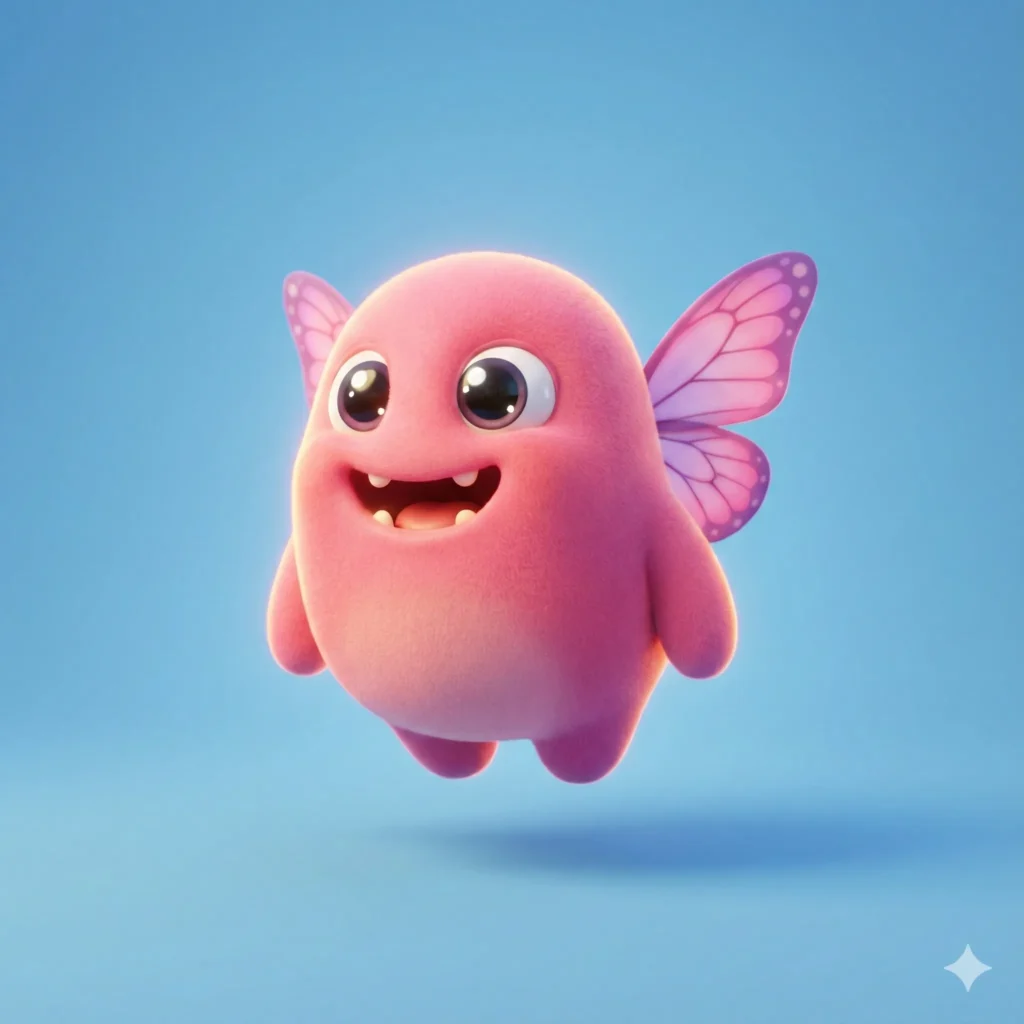
Create an ultra cute pink monster with tiny butterfly wings and a soft, rounded pear shaped body. Place the character on a smooth sky blue background. The monster has expressive eyes and a joyful smile, with glossy highlights that add charm. The style is 3D cartoon with gentle subsurface glow, soft shadows, and high quality lighting inspired by Blender animations. The surface texture is smooth and plush-like, with vibrant solid colors. The overall design is simple, adorable, and full of personality. Use aspect ratio 1:1.
 How to Create Quirky Cartoon Characters Using Gemini
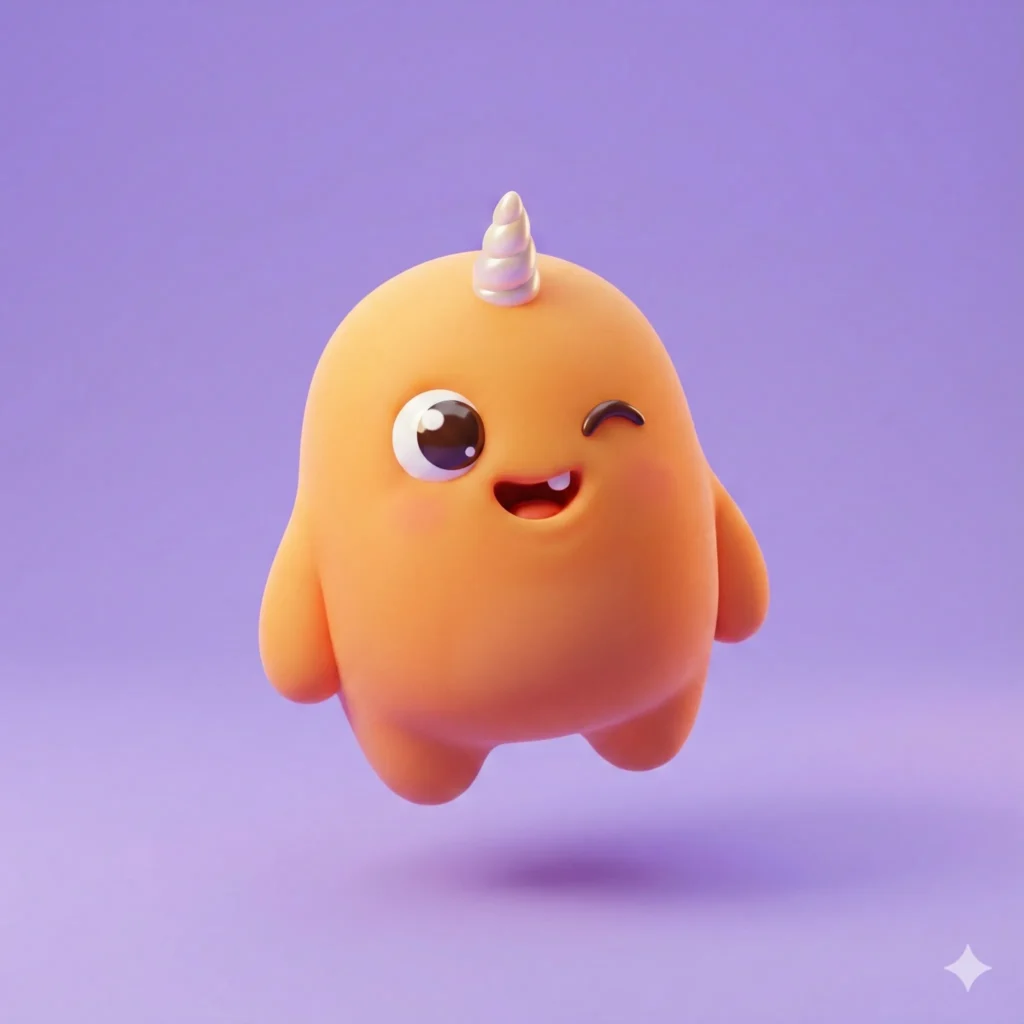
Create an ultra cute orange monster with a tiny unicorn horn and a soft, rounded chubby body. Place the character on a smooth lavender background. The monster has expressive eyes and a playful wink, with glossy highlights that add charm. The style is 3D cartoon with gentle subsurface glow, soft shadows, and high quality lighting inspired by Blender animations. The surface texture is smooth and plush-like, with vibrant solid colors. The overall design is simple, adorable, and full of personality. Use aspect ratio 1:1.
 How to Create Cute Halloween Characters Using Meta AI
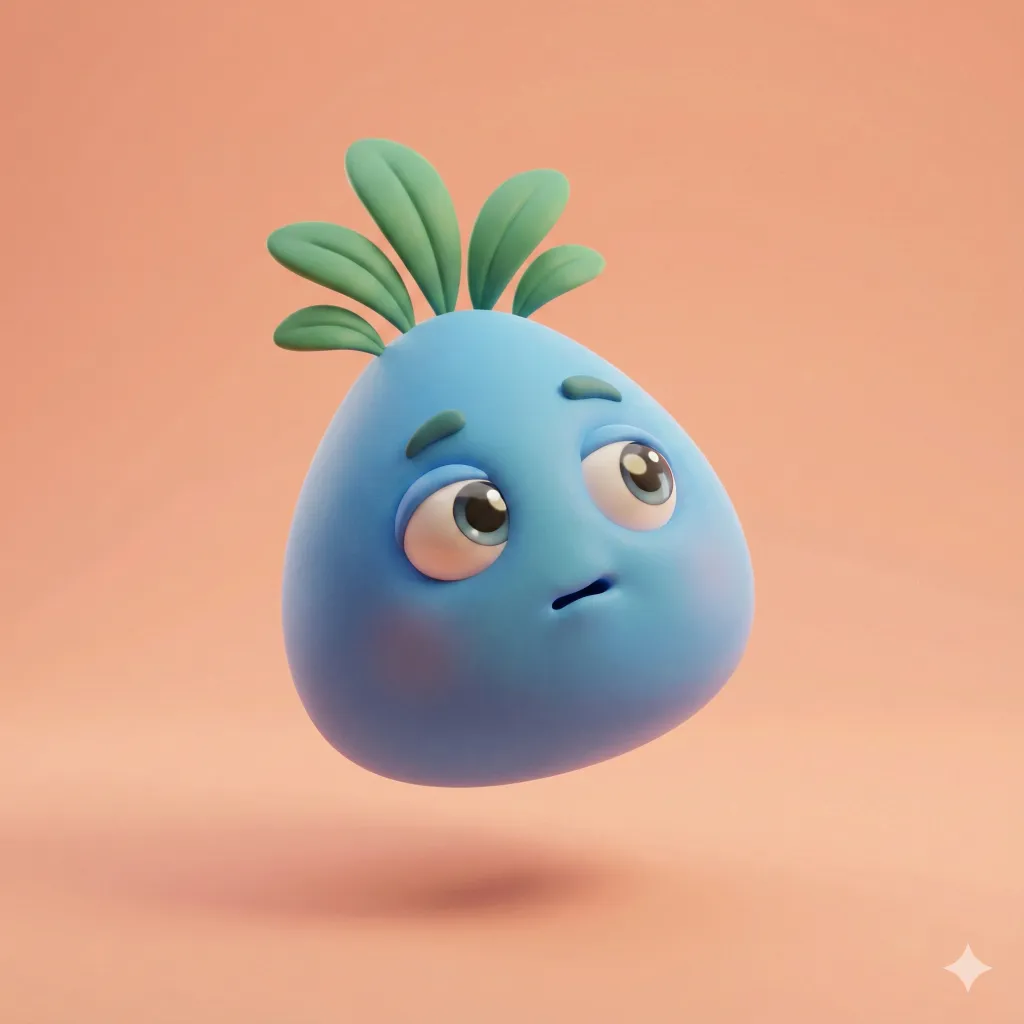
Create an ultra cute blue monster with leaf shaped hair and a soft, rounded teardrop body. Place the character on a smooth peach background. The monster has expressive eyes and a curious expression, with glossy highlights that add charm. The style is 3D cartoon with gentle subsurface glow, soft shadows, and high quality lighting inspired by Blender animations. The surface texture is smooth and plush-like, with vibrant solid colors. The overall design is simple, adorable, and full of personality. Use aspect ratio 1:1.
 How to Create Paper Craft Illustrations Using ChatGPT
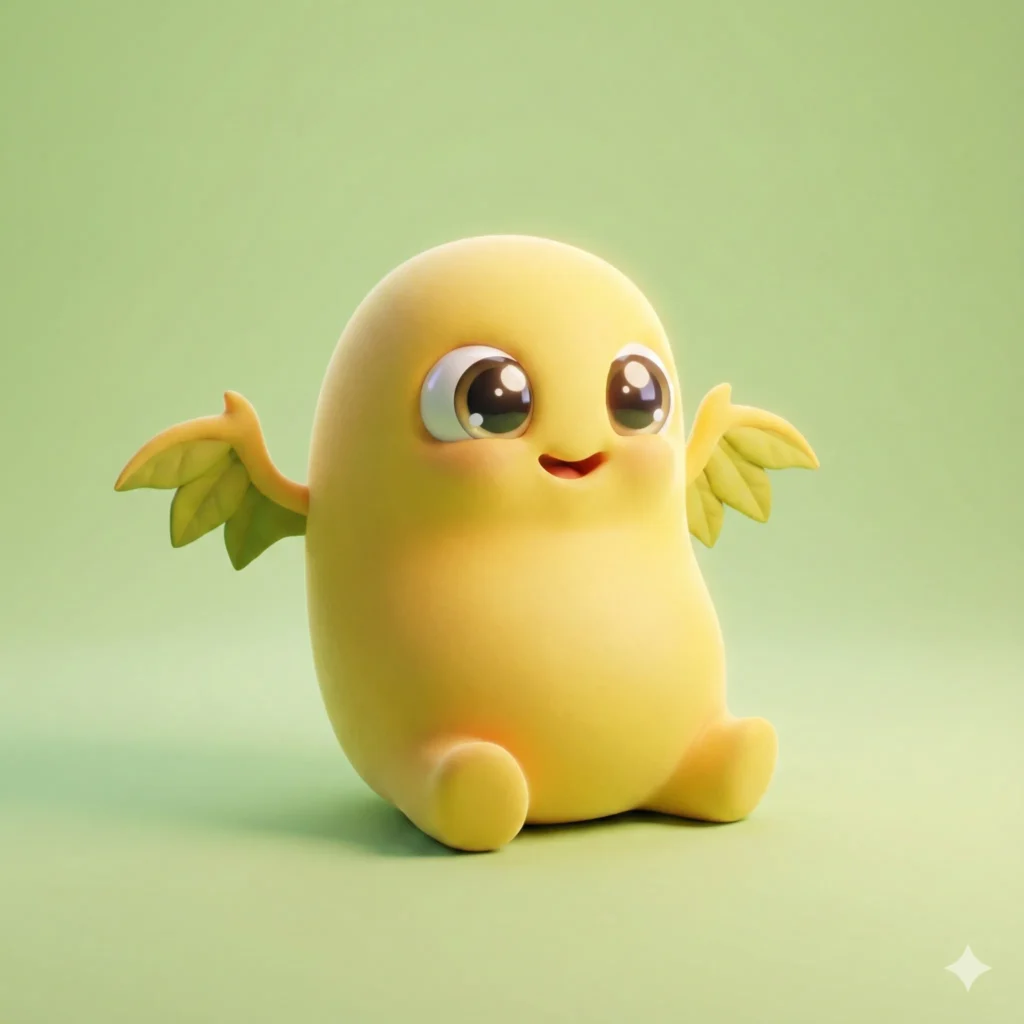
Create an ultra cute yellow monster with tiny dragon wings and a soft, rounded bean shaped body. Place the character on a smooth pastel green background. The monster has expressive eyes and a delighted grin, with glossy highlights that add charm. The style is 3D cartoon with gentle subsurface glow, soft shadows, and high quality lighting inspired by Blender animations. The surface texture is smooth and plush-like, with vibrant solid colors. The overall design is simple, adorable, and full of personality. Use aspect ratio 1:1.
 How to Turn Your Photo into a Caricature Using Gemini
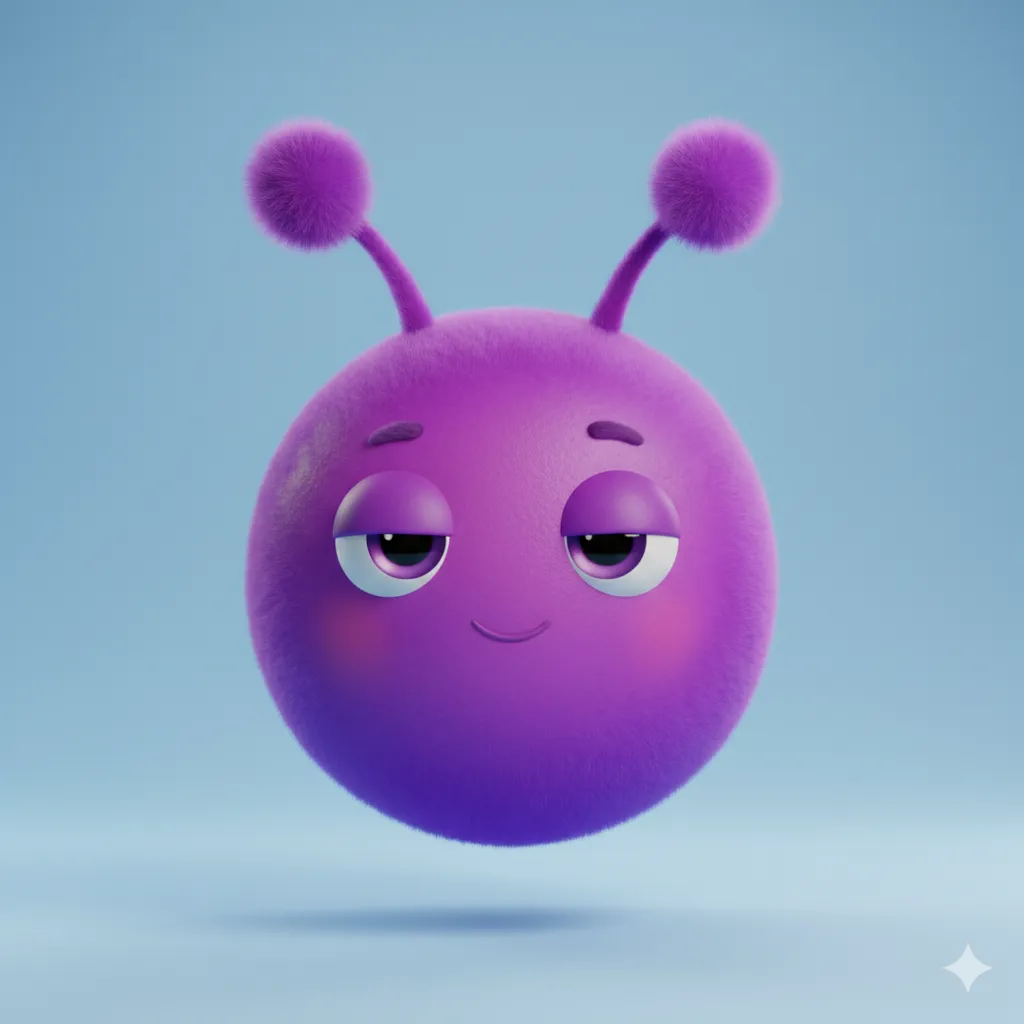
Create an ultra cute purple monster with fuzzy antennae and a soft, rounded circular body. Place the character on a smooth powder blue background. The monster has expressive eyes and a dreamy relaxed expression, with glossy highlights that add charm. The style is 3D cartoon with gentle subsurface glow, soft shadows, and high quality lighting inspired by Blender animations. The surface texture is smooth and plush-like, with vibrant solid colors. The overall design is simple, adorable, and full of personality. Use aspect ratio 1:1.
 How to Create Cute Cartoon Characters Using Google Gemini
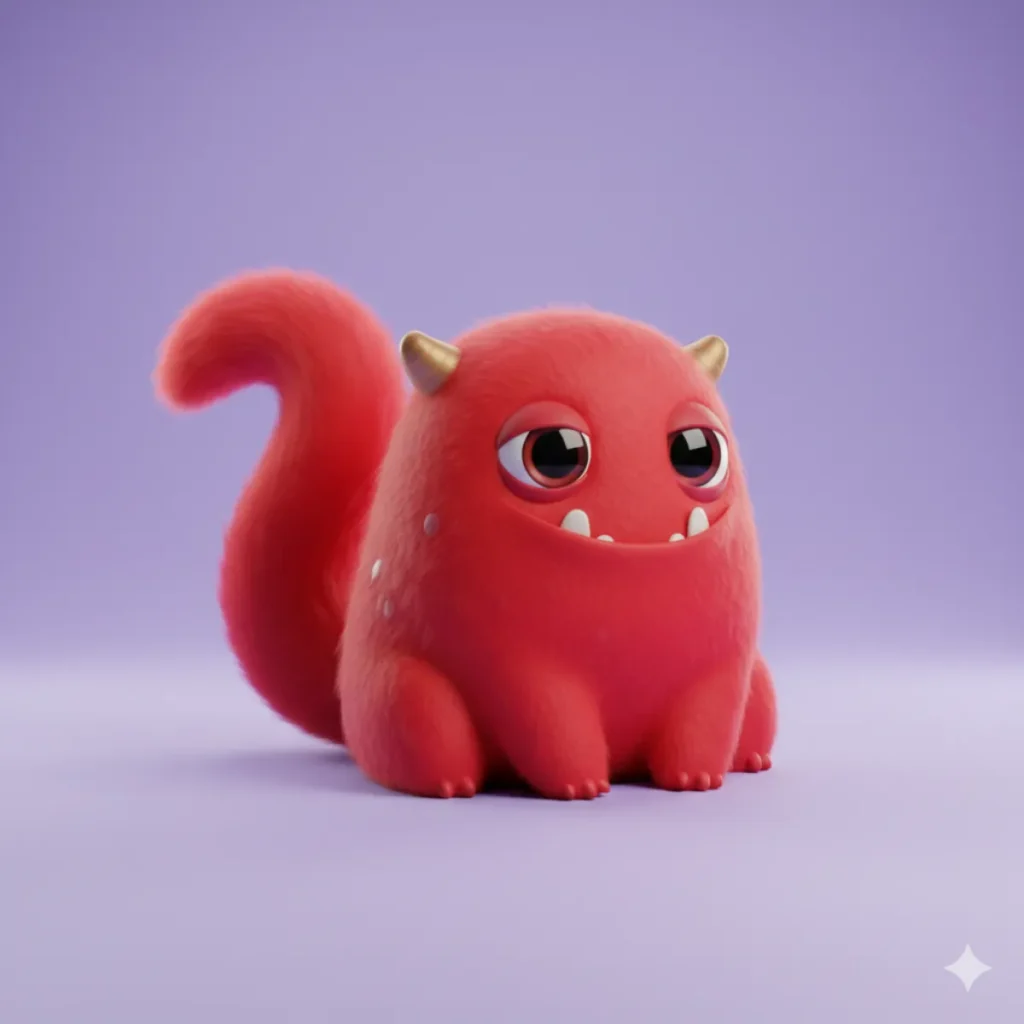
Create an ultra cute red monster with a fluffy tail and a soft, rounded pebble shaped body. Place the character on a smooth pastel violet background. The monster has expressive eyes and a mischievous grin, with glossy highlights that add charm. The style is 3D cartoon with gentle subsurface glow, soft shadows, and high quality lighting inspired by Blender animations. The surface texture is smooth and plush-like, with vibrant solid colors. The overall design is simple, adorable, and full of personality. Use aspect ratio 1:1.
 How to Quickly Turn Your Photo into Cartoon Using ChatGPT
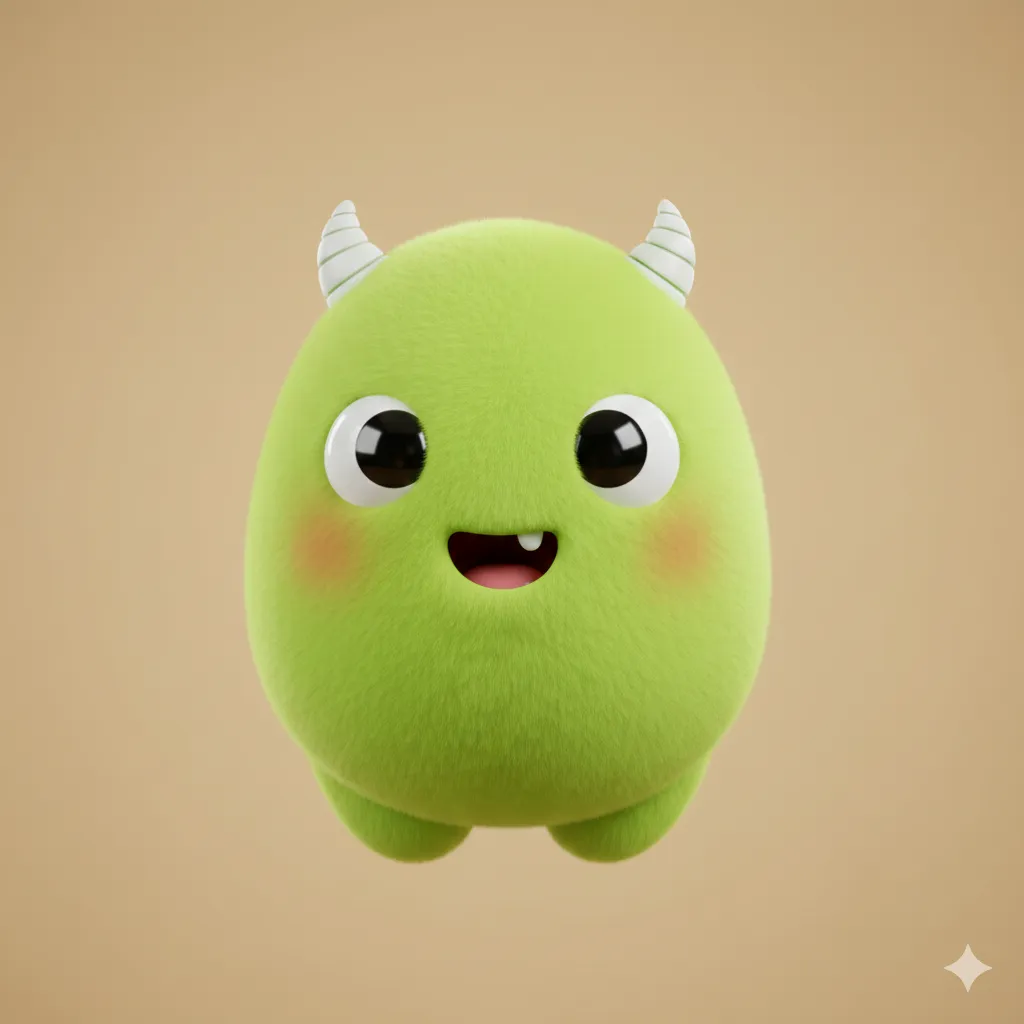
Create an ultra cute lime monster with spiral shaped horns and a soft, rounded egg shaped body. Place the character on a smooth warm beige background. The monster has expressive eyes and a surprised happy expression, with glossy highlights that add charm. The style is 3D cartoon with gentle subsurface glow, soft shadows, and high quality lighting inspired by Blender animations. The surface texture is smooth and plush-like, with vibrant solid colors. The overall design is simple, adorable, and full of personality. Use aspect ratio 1:1.
 30 ChatGPT Prompts for Beautiful Anime Landscapes
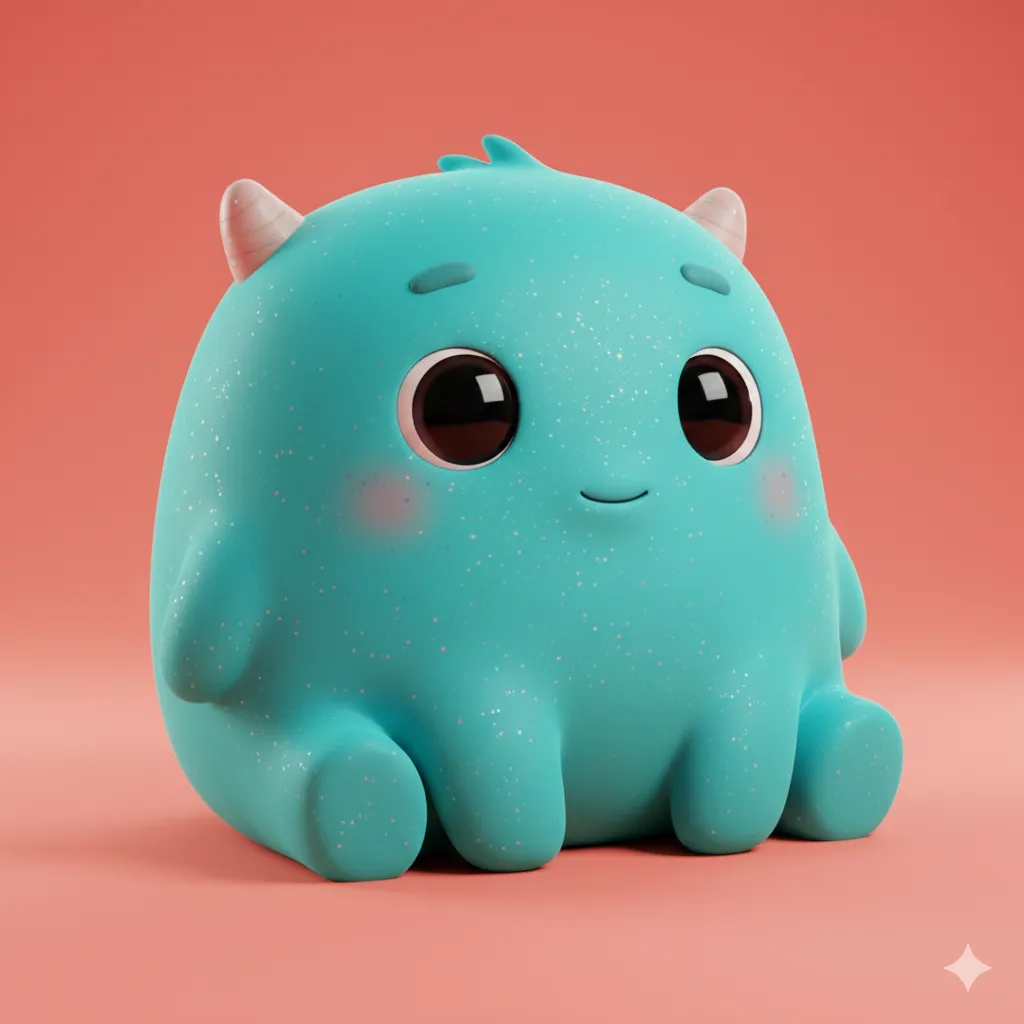
Create an ultra cute cyan monster with glittery freckles and a soft, rounded pillow shaped body. Place the character on a smooth coral background. The monster has expressive eyes and a gentle smiling expression, with glossy highlights that add charm. The style is 3D cartoon with gentle subsurface glow, soft shadows, and high quality lighting inspired by Blender animations. The surface texture is smooth and plush-like, with vibrant solid colors. The overall design is simple, adorable, and full of personality. Use aspect ratio 1:1.
 How to Create Cute Children Illustrations Using ChatGPT
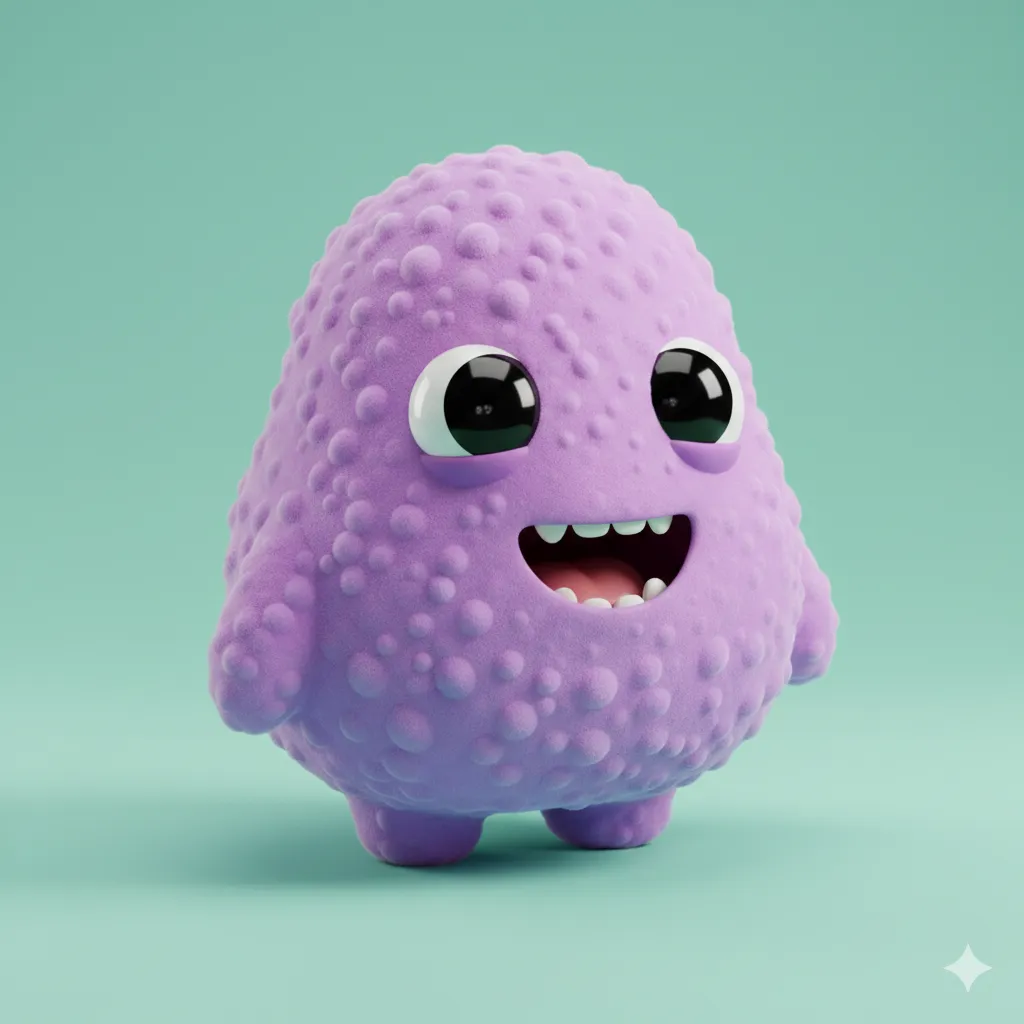
Create an ultra cute pastel purple monster with tiny bubble shaped bumps and a soft, rounded pear body. Place the character on a smooth mint background. The monster has expressive eyes and a cheerful giggle, with glossy highlights that add charm. The style is 3D cartoon with gentle subsurface glow, soft shadows, and high quality lighting inspired by Blender animations. The surface texture is smooth and plush-like, with vibrant solid colors. The overall design is simple, adorable, and full of personality. Use aspect ratio 1:1.
 How to Turn Your Photo into 3D Character Using Gemini Nano Banana Pro
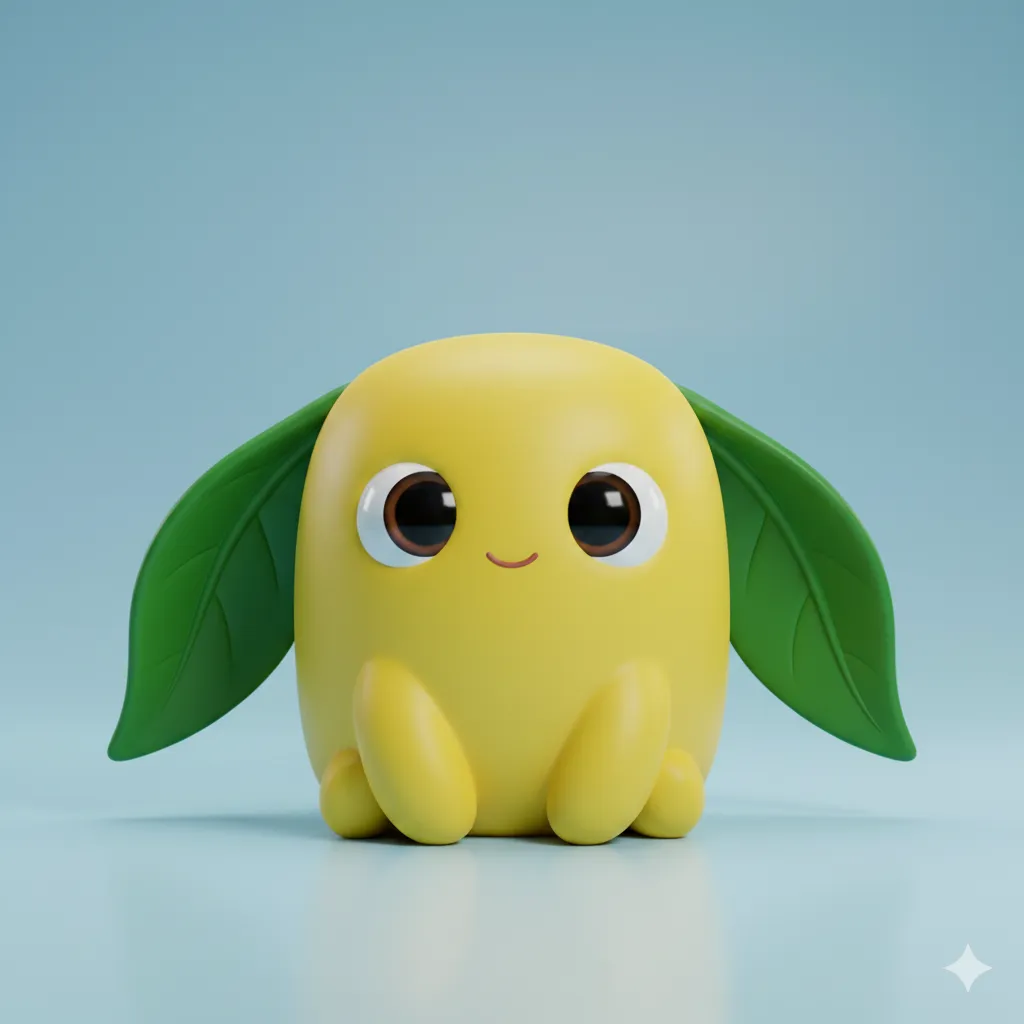
Create an ultra cute lemon yellow monster with floppy leaf ears and a soft, rounded marshmallow shaped body. Place the character on a smooth pale blue background. The monster has expressive eyes and a sweet little smile, with glossy highlights that add charm. The style is 3D cartoon with gentle subsurface glow, soft shadows, and high quality lighting inspired by Blender animations. The surface texture is smooth and plush-like, with vibrant solid colors. The overall design is simple, adorable, and full of personality. Use aspect ratio 1:1.
 How to Turn Your Photo Into a Stylish Digital Portrait Using Gemini
Tips for Creating Your Own Monsters
- Be specific with colors. Instead of saying “blue,” go for “sky blue,” “navy blue,” or “powder blue.” The model responds much better to precise color details.
- Mix and match features. If you love dragon wings, try pairing them with different body shapes or facial expressions. You’ll discover surprisingly cute combinations.
- Experiment freely. Change the background, swap expressions, or add unusual traits. Some of the best results come from unexpected ideas.
- Keep it simple. Clear, straightforward prompts work best. Overloading details can confuse the model.
- Use a 1:1 aspect ratio. Square images are ideal for cute character designs and help maintain clean proportions.
Creating adorable monsters with Gemini is quick, enjoyable, and super accessible. The Nano Banana model gives you plenty of control without requiring any design experience or advanced tools.
Start with the template, choose your colors and unique features, and watch your monster appear. After a few creations, you’ll naturally develop your own favorite styles and techniques.
Have fun bringing something cute to life!