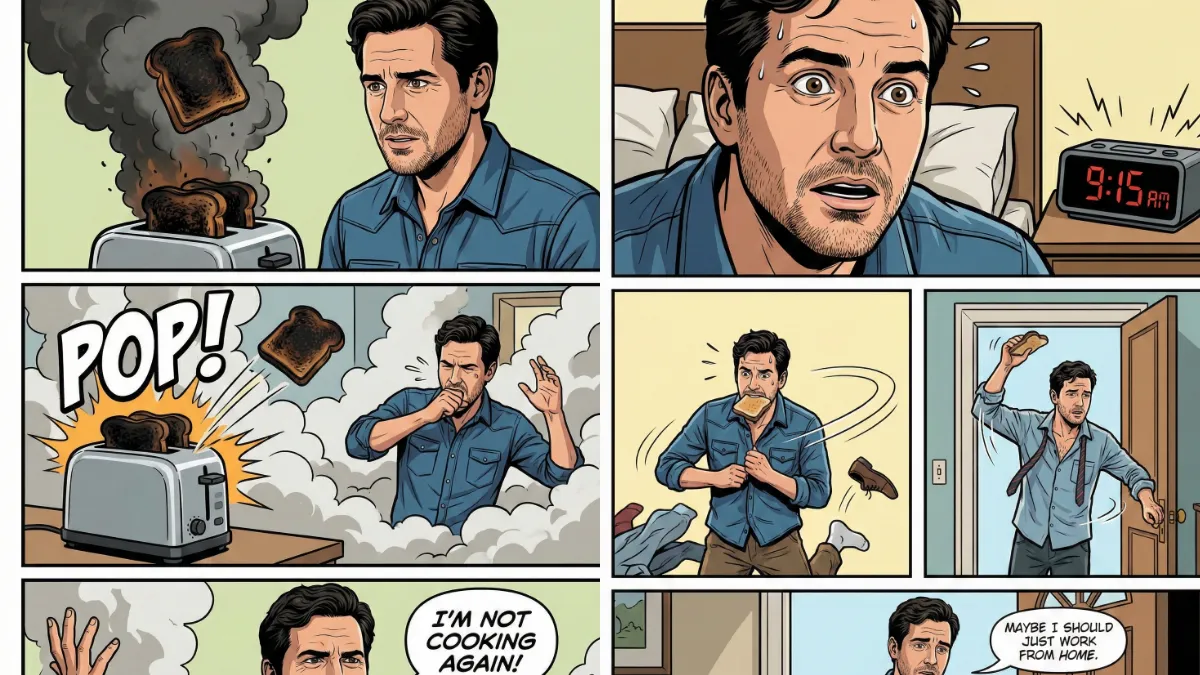
The Appeal of Personalized Comics
Comic strips have long served as an effective storytelling medium. Their characteristic bold linework and vibrant color palettes deliver humor, insight, and relatable everyday narratives through simple panel sequences.
Imagine starring in your own comic strip—not as a generic character, but authentically portrayed with your actual facial features, hairstyle, and expressions. That’s the compelling opportunity available now.
Google’s Imagen 3 model, integrated into Gemini, makes this possible. The tool excels at image editing while maintaining consistent facial characteristics across multiple panels.
Creating a personalized comic strip with yourself as the protagonist offers genuine entertainment value. You’re not merely consuming a story—you’re experiencing it as the main character in visual narrative form.
The workflow consists of two straightforward phases: first, converting your photograph into a comic-style character; second, generating the actual multi-panel comic strip using that character as your visual reference.
Here’s the complete process.
How to Create a Personalized Comic Strip with Gemini
Step 1: Transform Your Photo Into a Comic Character
Navigate to gemini.google.com or launch your Gemini mobile app and initiate a new conversation.
Select a high-quality photograph of yourself—ensure proper lighting and clear facial visibility. Upload it to the conversation thread.
Now paste this prompt:
Turn this person into a comic strip character. Keep the same facial features, hairstyle, and expression. Style: bold outlines, cel-shaded colors, simple backgrounds, expressive poses, clean comic panel aesthetics.
Hit enter and watch.
Within seconds, you’ll get a comic version of yourself. It’ll have your features, your hair, your overall look, just in comic style with those classic bold outlines and vibrant colors.
For example I used the following photo as reference.

 How to Create Story Book Illustrations Using ChatGPT
I created following comic character using the prompt.

 How to Turn Your Photo Into a Stylish Digital Portrait Using Gemini
Want to be a superhero? A detective? A space explorer? Just add that detail to the prompt. For example: “Turn this person into a comic strip superhero character” and include the rest of the prompt.
Step 2: Create Your Comic Strip
Now comes the fun part. Building your actual comic strip.
Open a new conversation in Gemini. This is important because you want to start fresh.
Attach the comic character image you just created. This becomes your reference image.
Use this prompt structure:
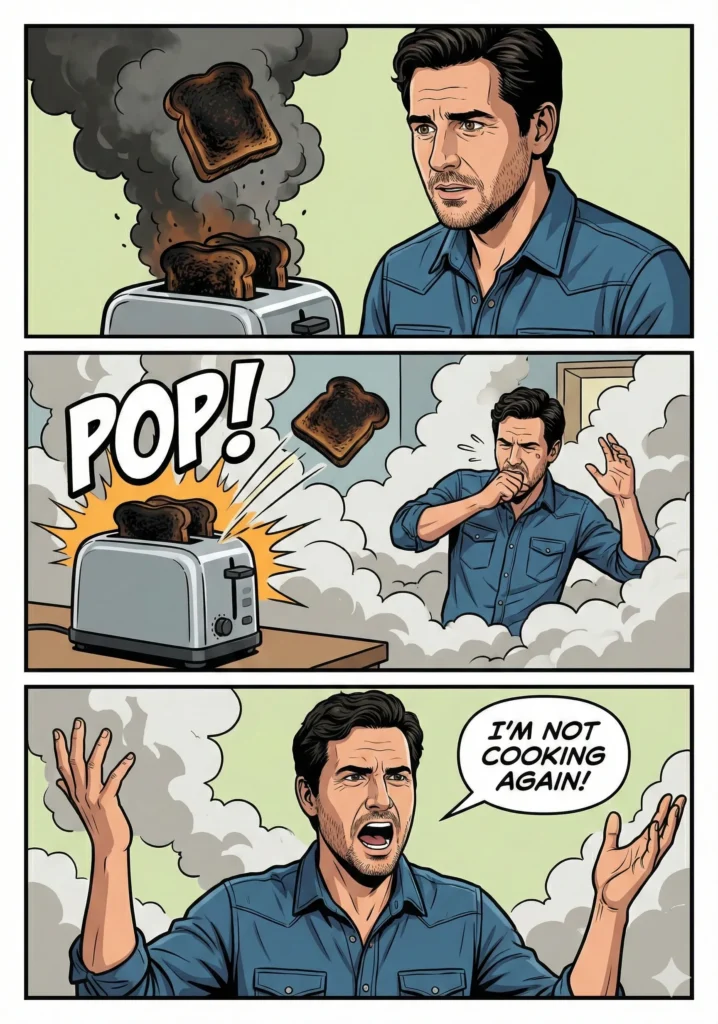
Create a 3-panel comic strip featuring the same character from the reference photo. Style: bold outlines, cel-shaded comic colors.
Panel 1: The character tries to cook breakfast and burns the toast.
Panel 2: Smoke fills the room and the toaster pops aggressively.
Panel 3: The character raises hands and says: ‘I’m not cooking again!’
Keep the face consistent in all panels.
Gemini will generate a three-panel comic strip with your character going through this little breakfast disaster. Your face stays consistent across all panels.
 How to Turn Your Photo Into a Painting Using Gemini
More Comic Strip Ideas
The cooking disaster is just one example. You can create any scenario you want.
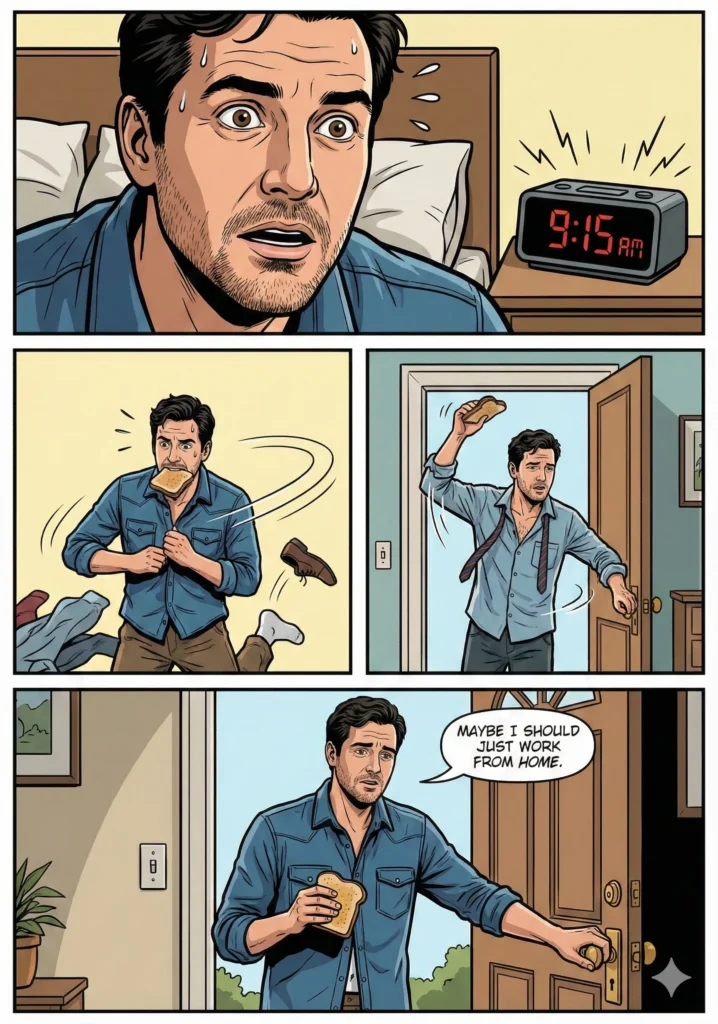
Here’s a late-for-work scenario:
Create a 3-panel comic strip featuring the same character from the reference photo. Style: bold outlines, cel-shaded comic colors.
Panel 1: The character wakes up shocked while looking at an alarm clock showing 9:15 AM.
Panel 2: The character runs around trying to dress, one shoe missing, toast in mouth.
Panel 3: The character reaches the door and says: ‘Maybe I should just work from home.’
Keep the face consistent in all panels.
 How to Turn Your Photo into Beautiful Sketch Using Gemini Nano Banana
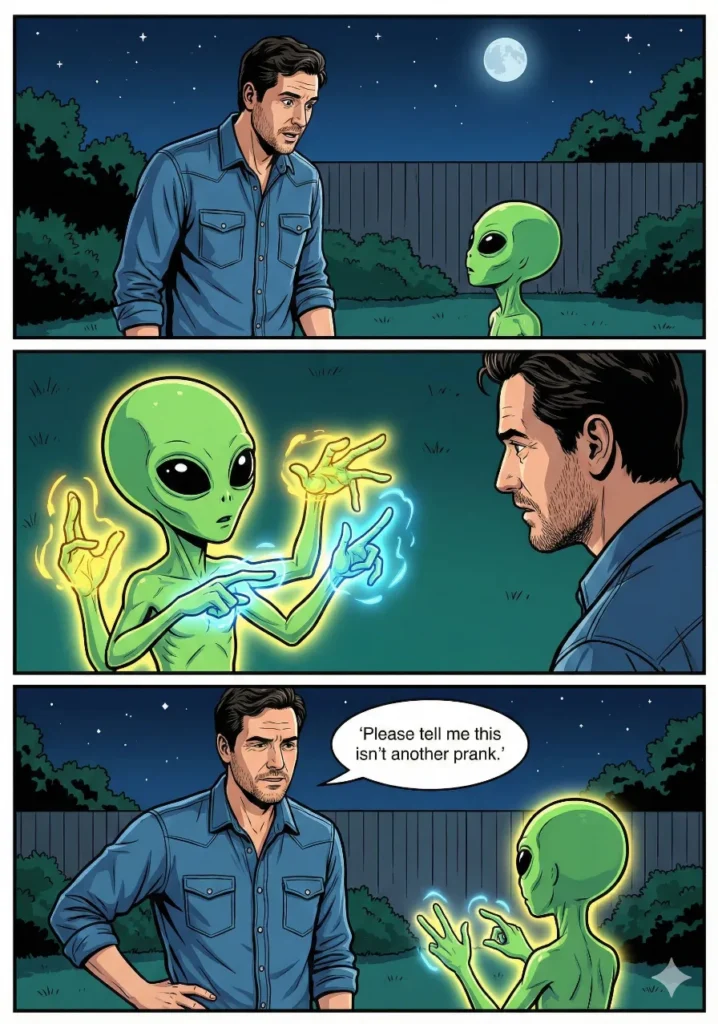
Or how about a weird alien encounter:
Create a 3-panel comic strip featuring the same character from the reference photo. Style: bold outlines, cel-shaded comic colors.
Panel 1: The character stands in a backyard at night, seeing a tiny alien with big eyes.
Panel 2: The alien tries to communicate with glowing hand gestures.
Panel 3: The character says: ‘Please tell me this isn’t another prank.’
Keep the face consistent in all panels.
 How to Turn Your Photo into 3D Character Using Gemini Nano Banana Pro
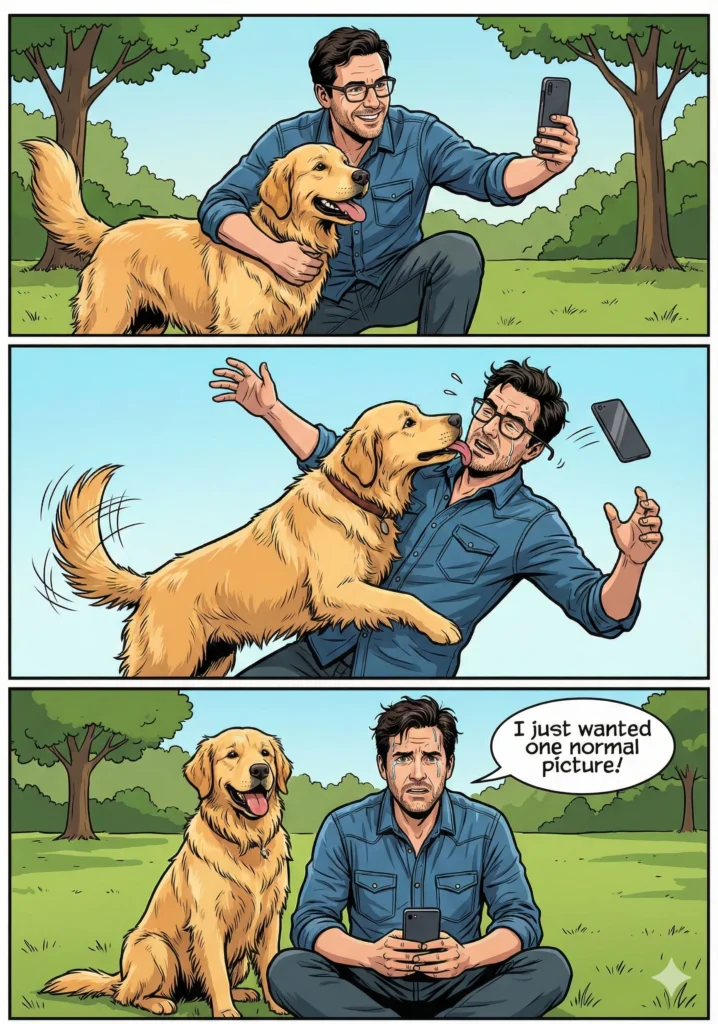
Maybe you want something with a pet:
Create a 3-panel comic strip featuring the same character from the reference photo. Style: bold outlines, cel-shaded comic colors.
Panel 1: The character tries to take a cute photo with a playful dog.
Panel 2: The dog suddenly jumps up and licks the character’s face, knocking them off balance.
Panel 3: The character says: ‘I just wanted one normal picture!’
Keep the face consistent in all panels.
 How to Create Beautiful 3D Cartoons Using Gemini Nano Banana
Developing Your Narrative
The prompts provided serve as templates—you can replace each panel’s content with any story you wish to tell.
Consider humorous life moments, awkward situations, spontaneous thoughts, or unusual dreams. All translate effectively into comic strip format.
If you’re experiencing creative block, use Gemini or ChatGPT for brainstorming. Simply prompt: “Generate funny three-panel comic strip concepts based on everyday situations.”
Optimization Techniques
Source Photo Quality – Use clean, simple photographs. Cluttered backgrounds or poor lighting conditions can compromise the character generation accuracy.
Descriptive Precision – Be specific about actions and expressions. “The character appears shocked” yields better results than vague descriptions like “the character reacts.”
Consistency Troubleshooting – If facial features vary across panels, regenerate the output. Multiple attempts occasionally produce better consistency.
Extended Formats – Create longer narratives by increasing panel counts and adding story elements. Four, five, or six-panel formats work equally well.
Practical Applications
Creating personalized comic strips extends beyond entertainment—it’s a legitimate creative expression medium.
These comics work effectively for social media content, custom greeting cards, presentation materials, or simply amusing friends. They’re shareable, distinctive, and maintain professional visual quality.
AI’s ability to preserve facial consistency across panels enables this creative format. Earlier tools struggled with character continuity from panel to panel. Gemini’s Imagen model handles this challenge effectively.
Select a quality photograph, access Gemini, and begin creating. Your personalized comic strip journey starts now.