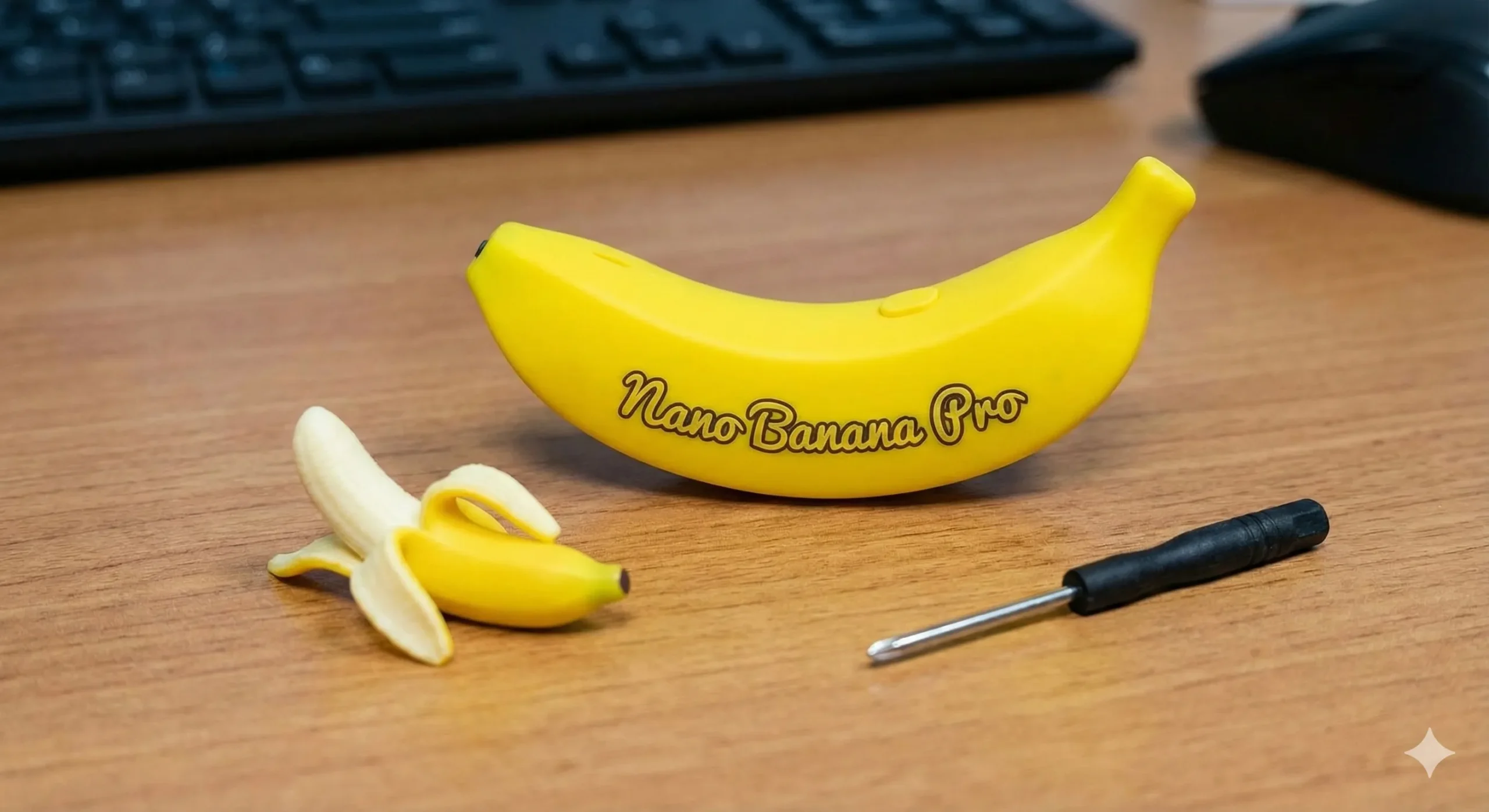
Google recently launched an updated version of Nano Banana, dubbed Nano Banana Pro, and the results are impressive. According to Google, this is their most advanced image model to date, and hands-on testing confirms the hype is justified. The model excels at text rendering, generates photorealistic images, and has quickly gained traction across social platforms.
Getting started is straightforward: navigate to gemini.google.com, initiate a new conversation, select “Thinking with 3 Pro,” and enter your prompt. Reference images can be uploaded as needed.
Below are the practical applications I’ve discovered through testing (excluding capabilities already present in the original Nano Banana).
1.Infographics
Nano Banana Pro demonstrates exceptional proficiency with text integration and diagram construction, making it ideal for transforming data into professional-quality visual content.
The model comprehends information hierarchy, implements appropriate spacing, applies effective color schemes, and ensures readability. Additionally, it can research and incorporate accurate data points into your designs.
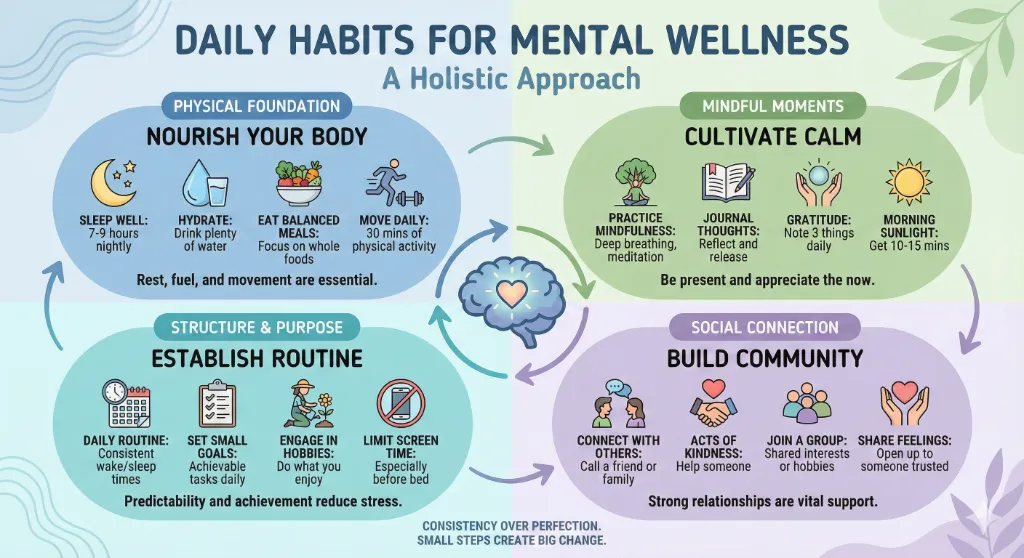
Test prompt: “Create a beautiful infographic about daily habits that improve mental wellness.”
The output delivered a polished layout with verified information that could immediately be used in presentations or shared on digital platforms. The design avoided common pitfalls like awkward compositions or inaccurate data.
 Create a Retro Selfie with Your Baby Version Using Gemini
Applications span business analytics, health guidance, productivity strategies, and educational materials. The model automatically determines optimal visual presentation methods.
2.Annotation
Photo annotation becomes simple when you need to identify or label specific elements within an image whether for tutorials, educational purposes, or basic identification.
Nano Banana Pro adds annotations directly onto uploaded photos. Simply upload your image and request labeling, identification, or text placement on specific areas. The annotations remain legible without overwhelming the original photograph.
A user on X demonstrated this by uploading food imagery and requesting ingredient annotation. The model delivered detailed, accurate identification with clear labeling for each component.
Practical uses include recipe documentation, product identification, cooking instruction, and any scenario requiring photographic markup.
I cannot get enough of Nano Banana Pro 🍌🍌
— Jaclyn Konzelmann (@jacalulu) November 20, 2025
I decided to try this technique on one of my favourite subjects…food 🥑🍞
I took a picture of a fancy avocado toast I made the other month, and had 🍌🍌 annotate all the ingredients on it 🤯 https://t.co/VCzu5lrKFt pic.twitter.com/SGciimNhUu
3.Comics
Comic creation traditionally demands significant time investment. Nano Banana Pro streamlines this process with its dual capabilities in panel illustration and visual narrative comprehension.
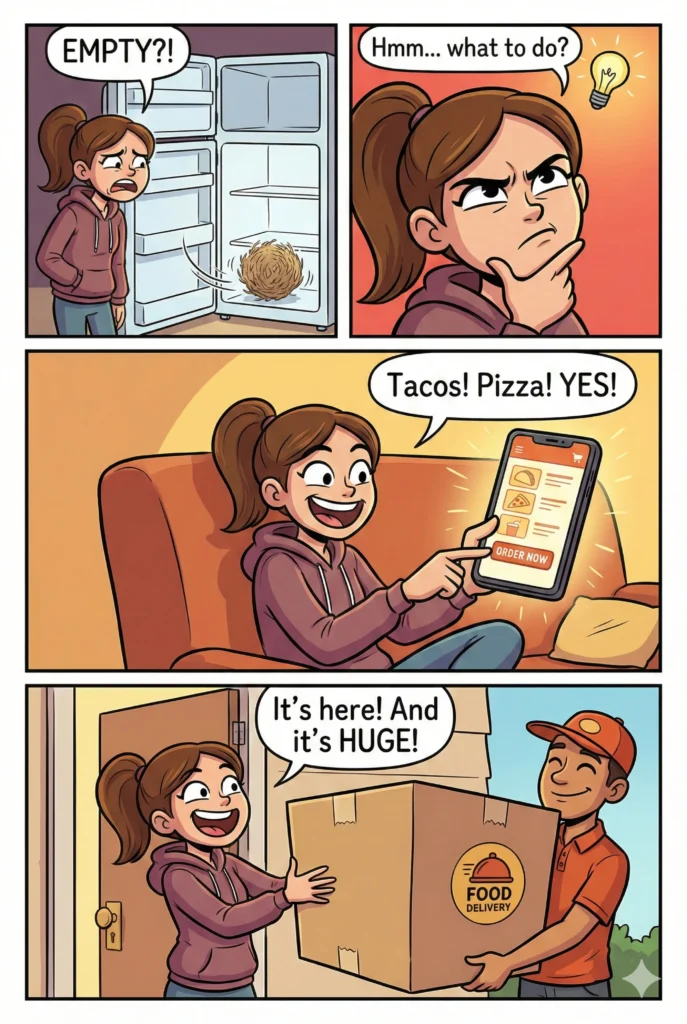
Test prompt: “Create a four panel comics in vertical aspect ratio. In the first panel, show a girl opening her fridge and finding it completely empty. In the second panel, show her thinking deeply with a dramatic expression. In the third panel, show her ordering food on her phone with excitement. In the fourth panel, show her happily receiving an oversized delivery box at the door.”
The resulting output presents a cohesive narrative sequence. Panel transitions flow naturally, character design remains consistent, and facial expressions effectively communicate emotion.
 How to Turn Your Photo into Stickers Using Gemini
The model demonstrates understanding of visual storytelling principles. Applications include educational comics, marketing narratives, social media content, and entertainment purposes. Cross-panel consistency makes the output genuinely functional.
4.Camera Angle
Photography can be reframed from alternative perspectives using Nano Banana Pro’s spatial understanding capabilities.
Upload your photograph and specify the desired camera angle or viewpoint. The model comprehends spatial relationships and reframes imagery accordingly. Whether you need a side view instead of front-facing, or require a wider scene perspective, the model adapts to your specifications.
🍌 Today’s buzz is all about Nano Banana Pro.
— Pierrick Chevallier | IA (@CharaspowerAI) November 20, 2025
This model is absolutely insane, no matter the theme or prompt.
It hits hard. Really hard. 🔥
💡 Here’s a super useful prompt to try it out 👇
Create a poster that visually explains the most common camera angles in filmmaking, with… pic.twitter.com/7uc0Zx5biK
5.Change Aspect Ratio
Format requirements vary across platforms Instagram requires squares, banners need wide rectangles, and stories demand vertical orientations.
Upload your photograph and request Nano Banana Pro to adjust the aspect ratio to your specifications. The crucial difference: the model doesn’t simply crop or stretch. When requesting wider ratios, it intelligently generates content that harmonizes with the original composition. You receive an expanded canvas with appropriate additions rather than distorted imagery.
9. Translate words on images or products pic.twitter.com/ThdtRgihve
— Alvaro Cintas (@dr_cintas) November 20, 2025
6. Sketch to Photo
Conceptual ideas or rough sketches can be visualized as photorealistic images.
Upload any sketch to Nano Banana Pro and request photorealistic conversion. The model enhances your drawing with detail, texture, lighting, and realistic qualities.
One user submitted a basic house sketch and received a convincing photorealistic architectural rendering.
This proves valuable for architects visualizing designs, product designers presenting concepts, or creatives testing ideas in realistic contexts. The model fills gaps and adds details absent from the original sketch.
Nano-banana Pro is incredible. pic.twitter.com/JmR87UU3dV
— AshutoshShrivastava (@ai_for_success) November 21, 2025
7. Handwritten Notes
Digital content sometimes requires handwritten text elements for design projects, blog posts, greetings, or personal touches.
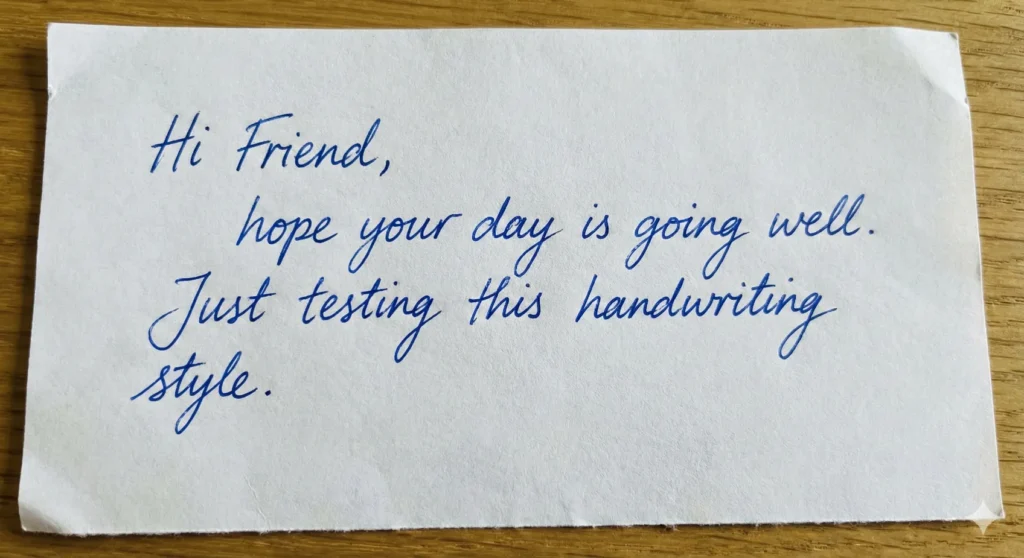
Nano Banana Pro generates authentic handwritten notes. Test prompt: “Create a close and clean image of a handwritten note in blue ink on a white sheet. The handwriting should feel natural. The note should contain the text: ‘Hi Friend, hope your day is going well. Just testing this handwriting style.'”
The output appeared genuinely hand-written, featuring natural pen pressure variation, characterized letterforms, and authentic presentation avoiding mechanical or artificial qualities.
 How to Create Your Professional Headshot Using Gemini
Applications include social media content, personalized digital design elements, greeting card creation, and tutorials requiring human elements.
8. Combine Photos
Multiple photographs can be merged into unified compositions with Nano Banana Pro.
Upload up to 16 photographs for combination into one cohesive image. The model understands blending techniques, appropriate scaling, and creates intentional composites rather than haphazard assemblages.
Possibilities include collage creation, before-and-after comparisons, multi-product displays, and creative mashups.
You def want to check this out, too
— AmirMušić (@AmirMushich) November 20, 2025
(prompt below) pic.twitter.com/Vz0ZzUfjUC
9. Diagrams
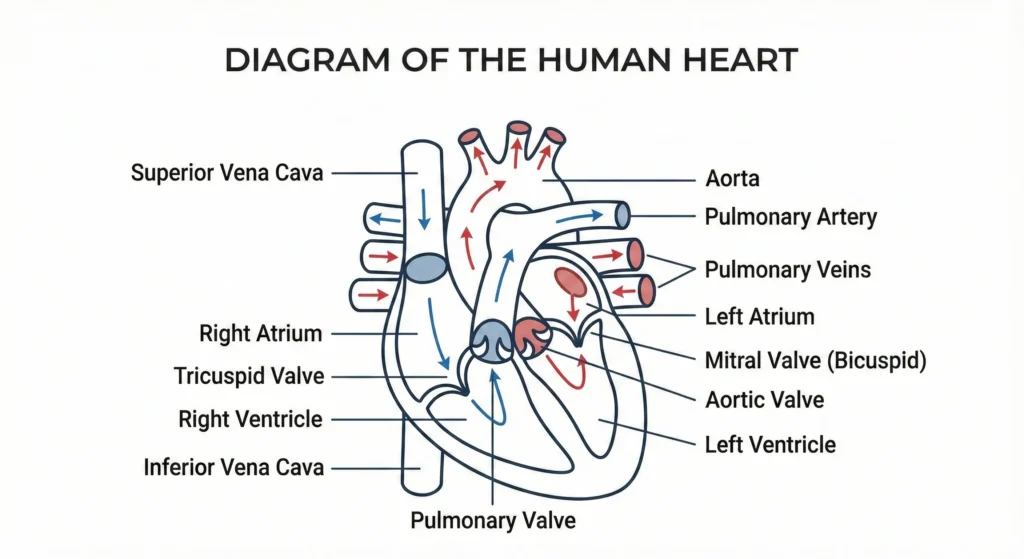
Clean educational diagrams are readily generated with Nano Banana Pro. These differ from infographics diagrams typically focus on explaining singular concepts with simplified approaches.
Test prompt: “Create a clear diagram of heart on a plain white background. Use neat lines, simple shapes, and balanced spacing. Add labels in clean text so every part is easy to understand. Keep the layout tidy and visually appealing, and make sure the diagram looks like it is created for educational use.”
The output proved suitable for presentations, textbooks, and learning materials, featuring clean lines, readable labels, and professional presentation.
 How to Stop ChatGPT from Using Em Dashes
Diagram creation extends to anatomy, systems, processes, concepts anything benefiting from clear visual explanation.
10. Typography Designs
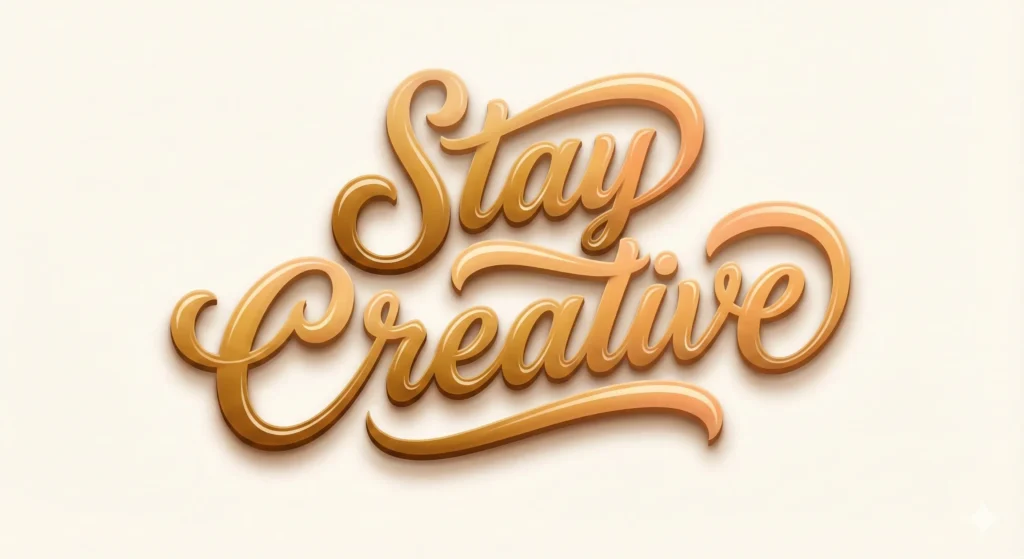
Typography transcends mere words Nano Banana Pro creates artistic typography designs functioning as standalone visual content.
Test prompt: “Create a stylish typography design that features the phrase ‘Stay Creative’ in bold artistic lettering. Use smooth curves, soft highlights, and a neat layout. Add gentle shadows to give depth while keeping the background plain to let the text shine.”
 How to Create Presentations Using Gemini
Applications include quotation graphics, brand messaging, social media content, and any context requiring visually compelling text presentation.
Nano Banana Pro represents substantial advancement in image generation technology with genuine practical utility. Whether producing educational content, enhancing photography, designing graphics, or creating various content types, the model offers valuable capabilities worth exploring.
Experiment with the platform and discover your creative possibilities.