I used to think any photo was fine as long as it was in focus. But I quickly learned that how you frame a shot changes everything. Camera angles are the difference between a boring snapshot and a photo that makes people stop and look.
The angle you choose affects the mood, tells a story, and guides how viewers feel about what they’re seeing. A high angle can make someone look vulnerable. A low angle can show power. The right angle can transform a simple moment into something memorable.
That’s where Gemini Nano Banana Pro comes in. This is Google’s latest image model, and it’s genuinely good at understanding what you want when you describe camera angles. It creates realistic photos and actually knows the difference between a full body shot and an extreme close up. No more frustration with AI that doesn’t get what you’re asking for.
How to Get Started
Go to gemini.google.com and start a new conversation. Select “Thinking with 3 pro” and paste in your prompt. If you want to reference something specific, you can upload a photo too. I’ve put together 13 prompts below that you can use exactly as they are. Each one shows a different camera angle and when it actually matters.
Top Prompts List : Gemini Nano Banana Pro Prompts for Camera Angles
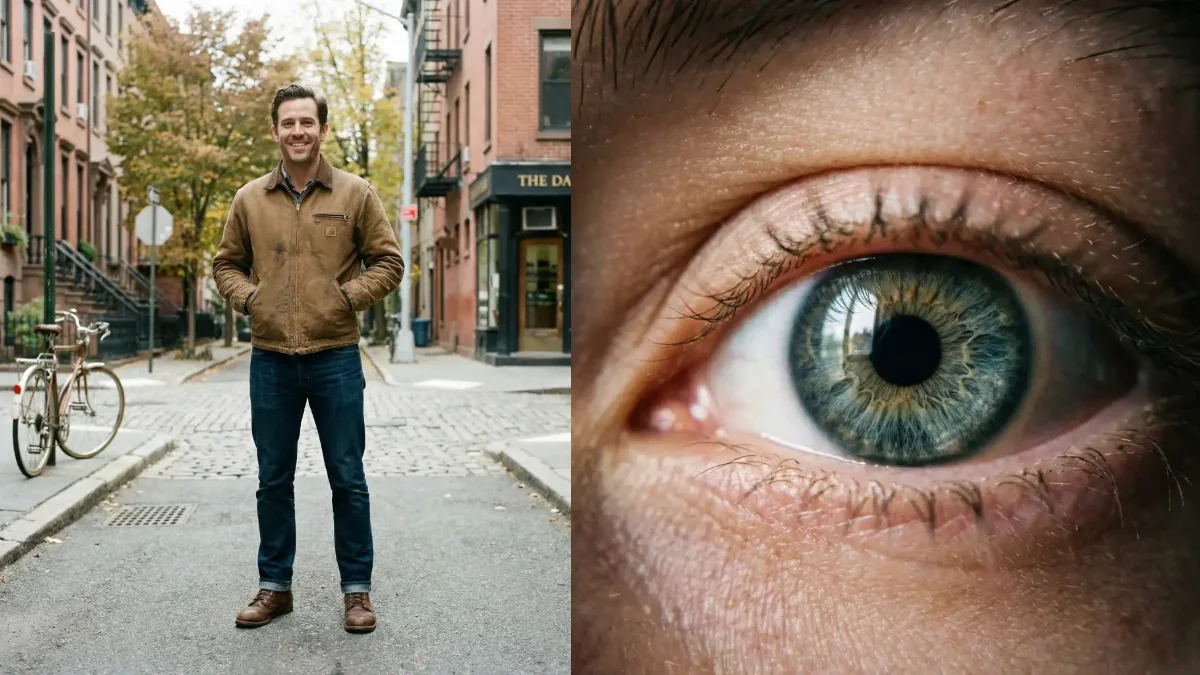
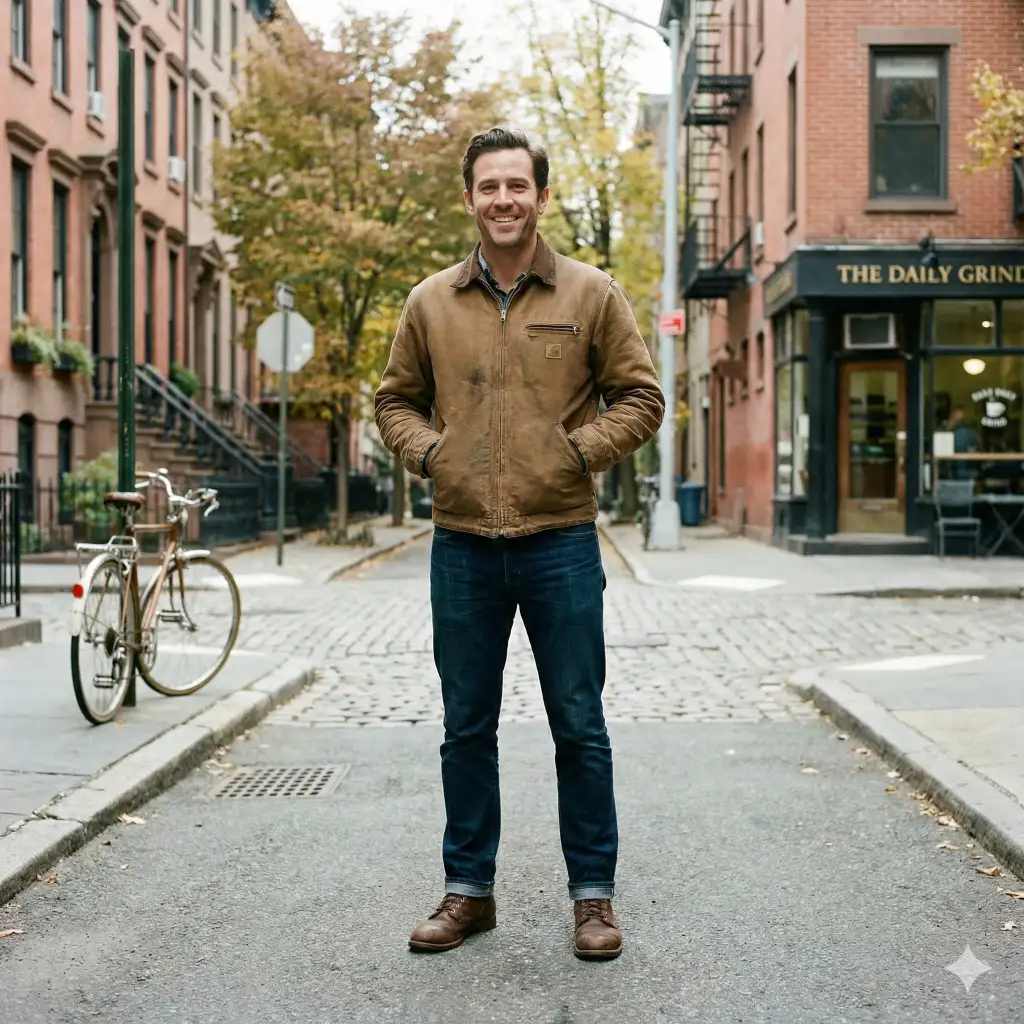
1. Full Body Shot
Create a full body shot of a confident man standing on a quiet urban street, wearing a casual jacket and jeans, natural posture, soft daylight, realistic proportions, sharp focus, detailed environment visible from head to toe. Use aspect ratio 1:1.
 17 Gemini Nano Banana Pro Prompts for Stylish Vintage Photos
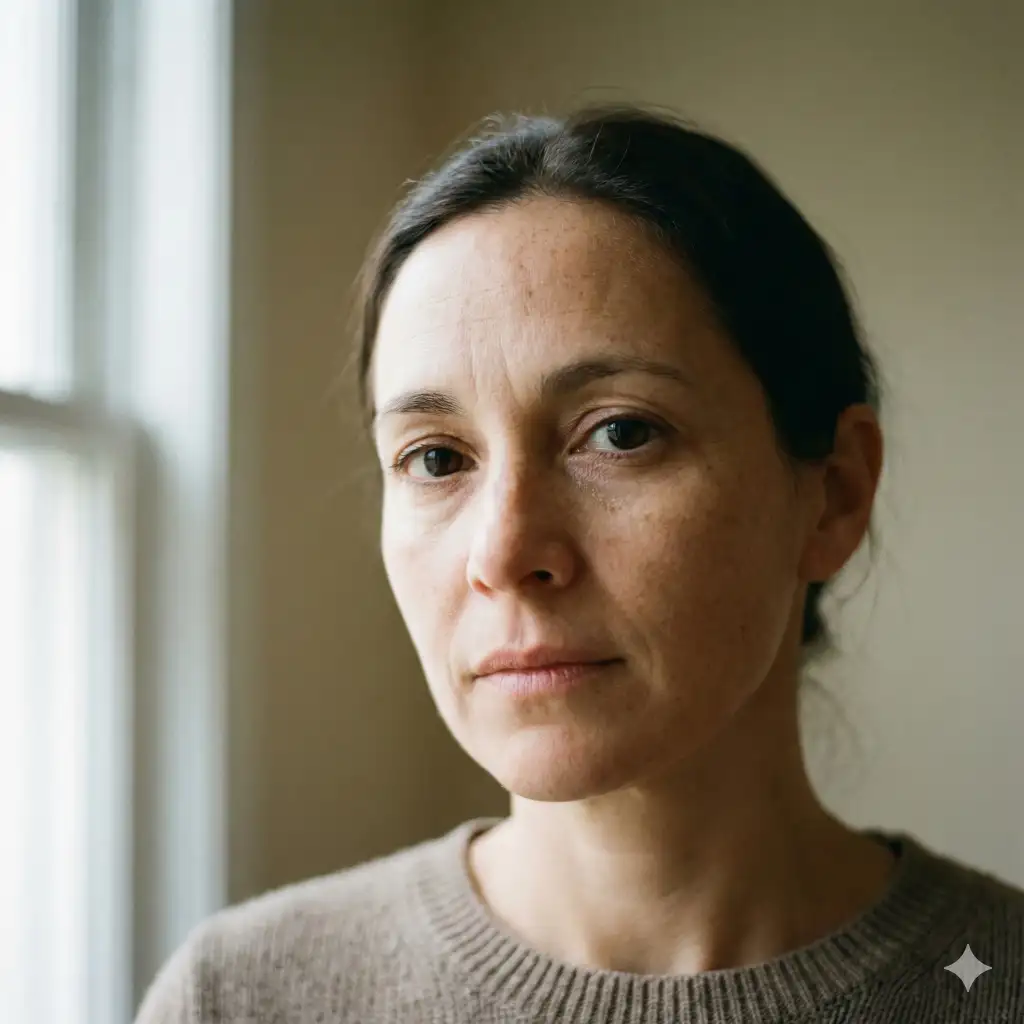
2. Close Up Shot
Create a close up shot of a woman’s face with natural skin texture, soft window light, expressive eyes in sharp focus, shallow depth of field, calm neutral background, realistic portrait style. Use aspect ratio 1:1.
 12 Hunyuan Image 3.0 AI Photo Editing Prompts for Girls to Create High-Fashion Ultra-Realistic Portraits
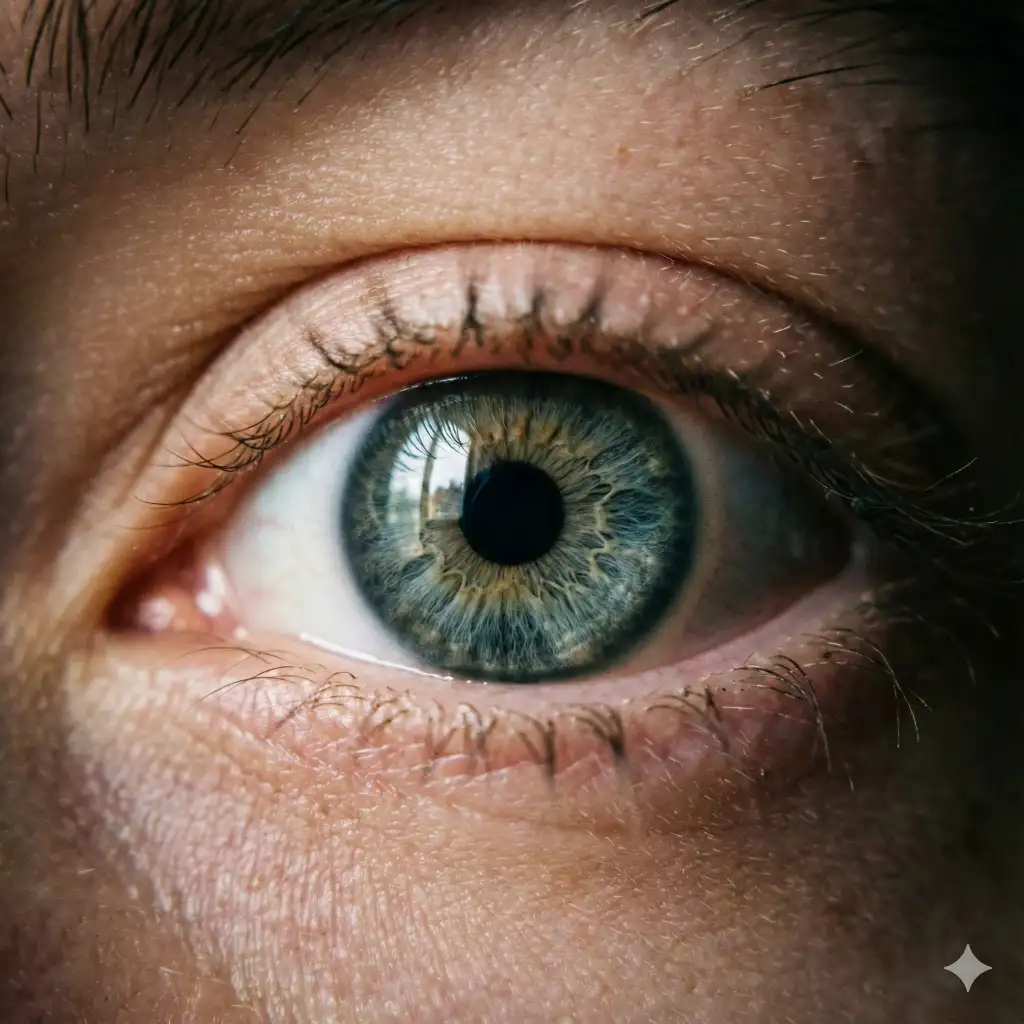
3. Extreme Close Up Shot
Create an extreme close up shot of human eyes, capturing fine details like eyelashes, skin pores, light reflections in the iris, ultra sharp focus, cinematic lighting, minimal background. Use aspect ratio 1:1.
 15 Gemini Nano Prompts for Colorful Lettering Art
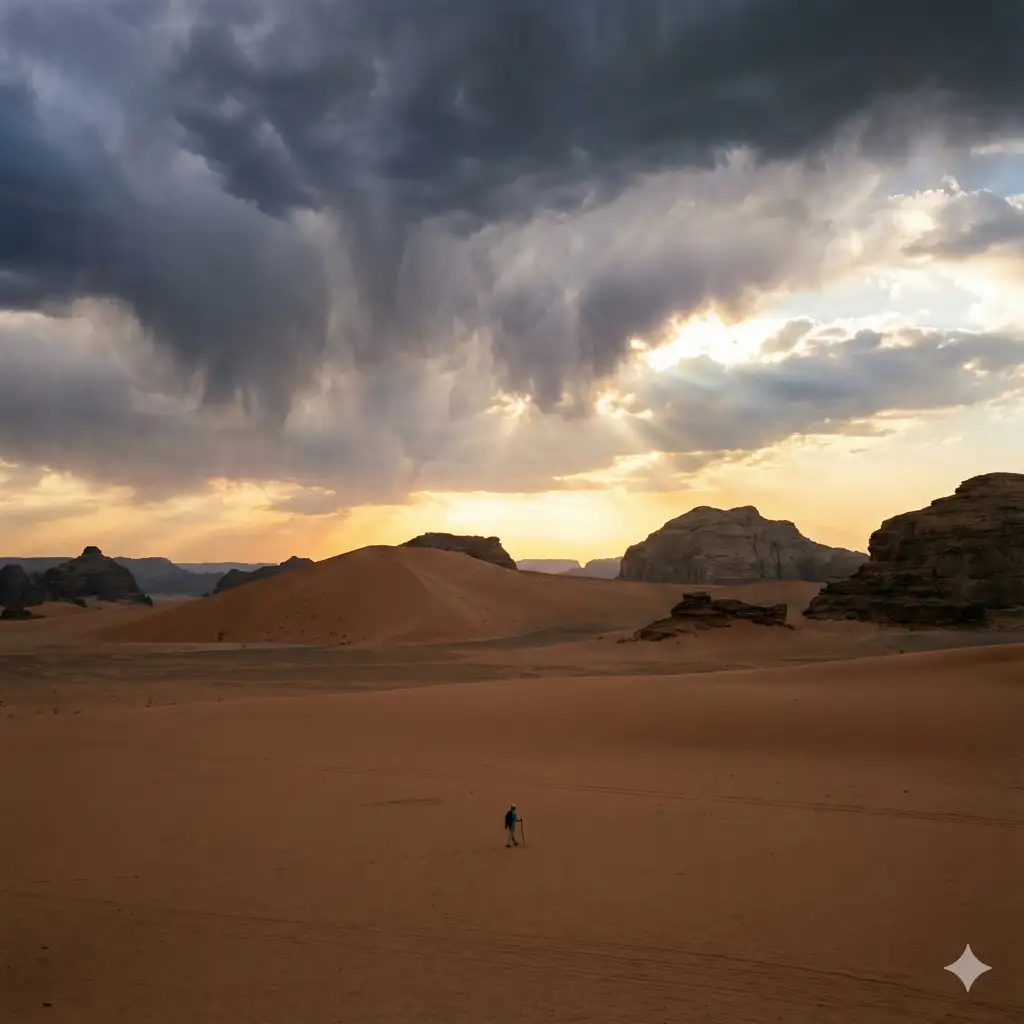
4. Extreme Long Shot
Create an extreme long shot of a lone person walking across a vast desert landscape, tiny subject compared to surroundings, dramatic sky, strong sense of scale and distance, cinematic composition. Use aspect ratio 1:1.
 21 Gemini Nano Banana Pro Prompts for Macro Photography
5. High Angle Shot
Create a high angle shot of a person sitting at a café table, camera positioned above eye level, looking slightly downward, soft indoor lighting, natural candid feel, realistic environment details. Use aspect ratio 1:1.

 10 ChatGPT Prompts for Christmas Photos
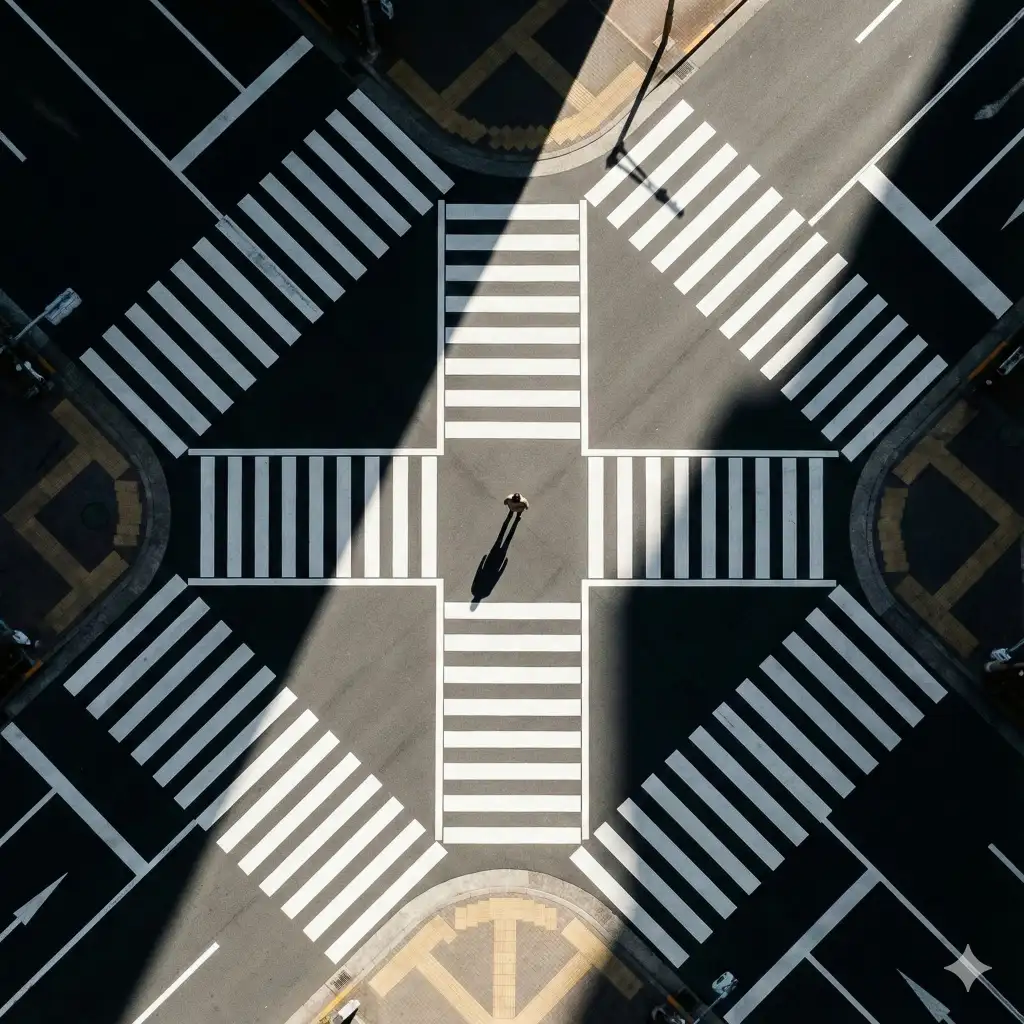
6. Bird’s Eye View Shot
Create a bird’s eye view shot of a person standing at a street crossing, camera directly overhead, strong geometric patterns from roads and shadows, minimal color palette, clean composition. Use aspect ratio 1:1.
 15 Gemini Prompts for Stunning Christmas Portraits
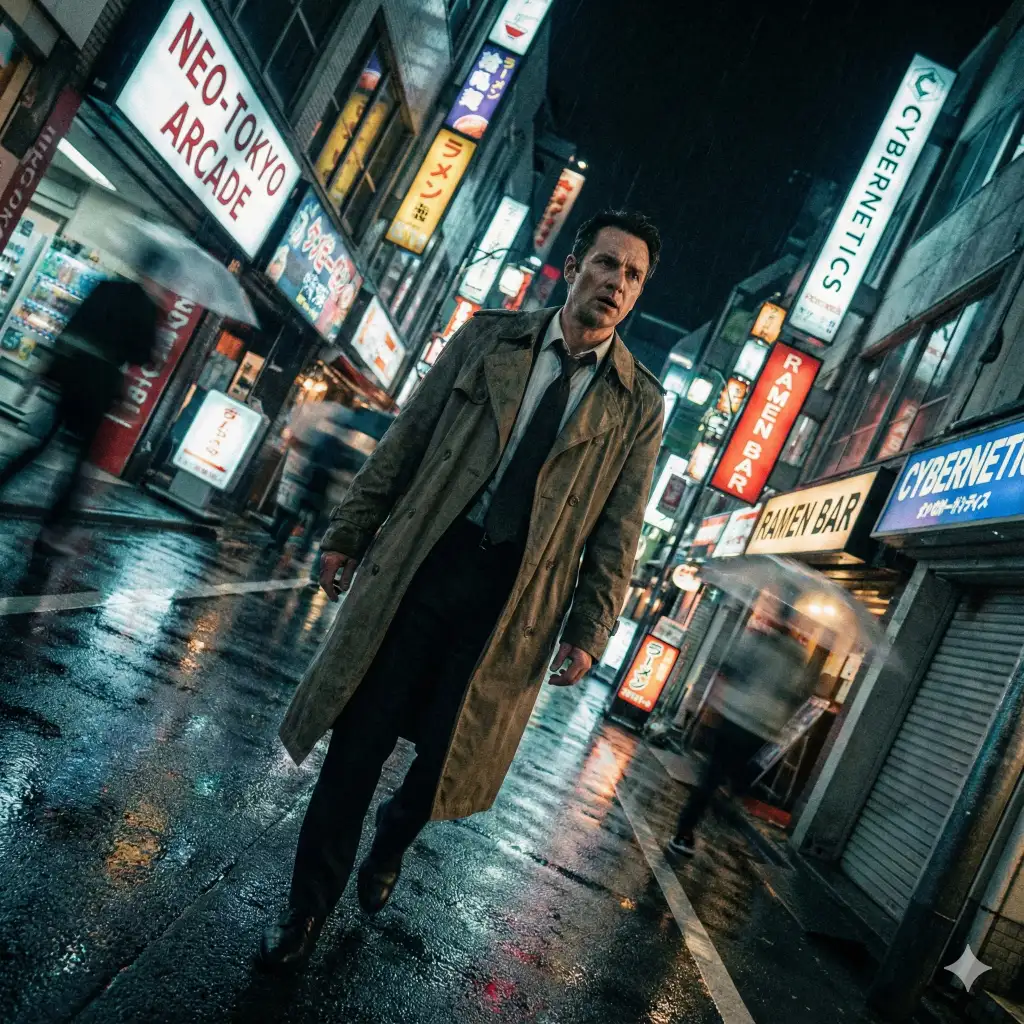
7. Dutch Angle Shot
Create a dutch angle shot of a man walking through a neon-lit city street at night, tilted camera for dramatic tension, cinematic lighting, motion blur in background, bold atmosphere. Use aspect ratio 1:1.
 20 Gemini Nano Banana Pro Prompts for Beautiful Close Up Photos
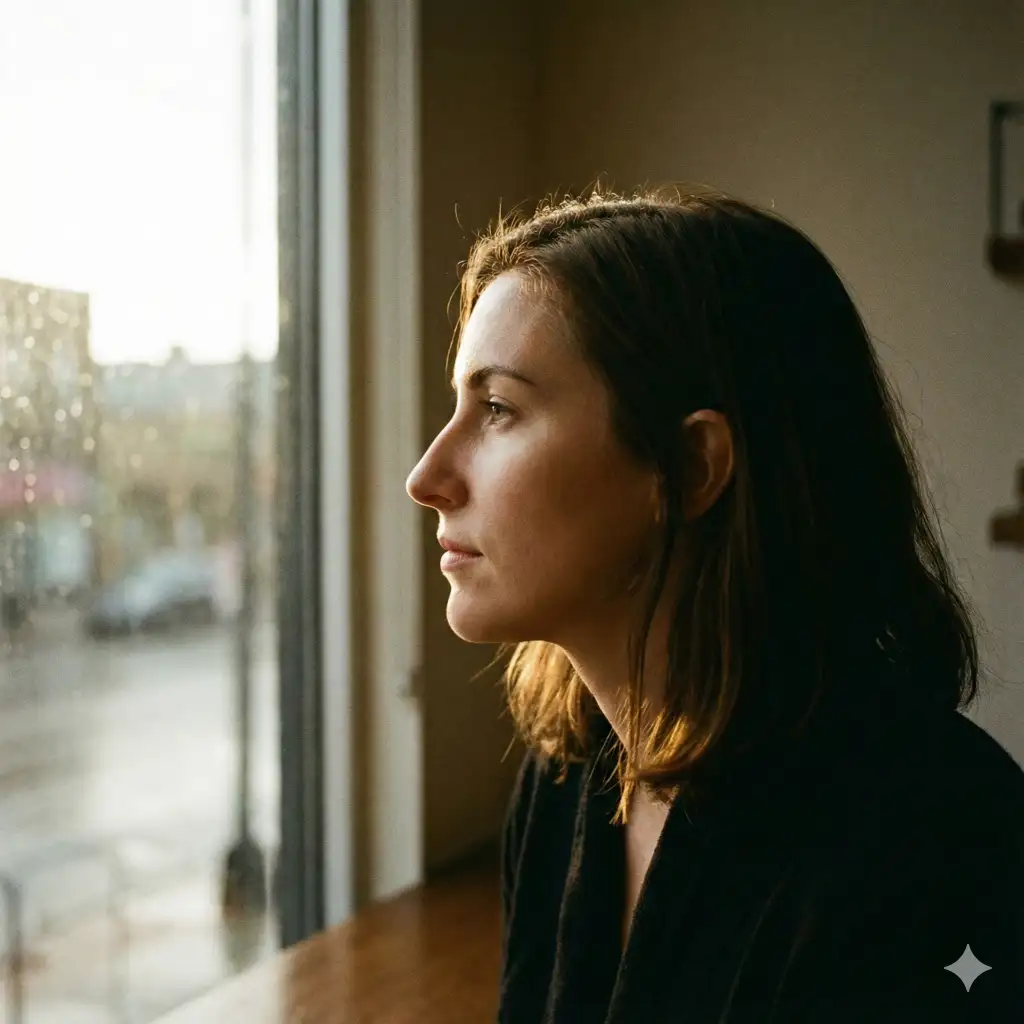
8. Side Profile Shot
Create a side profile shot of a woman looking out of a window, natural light outlining her face, sharp profile details, soft background blur, calm and thoughtful mood. Use aspect ratio 1:1.
 15 Gemini Nano Banana Pro Prompts for Fairy Tale Like Photos
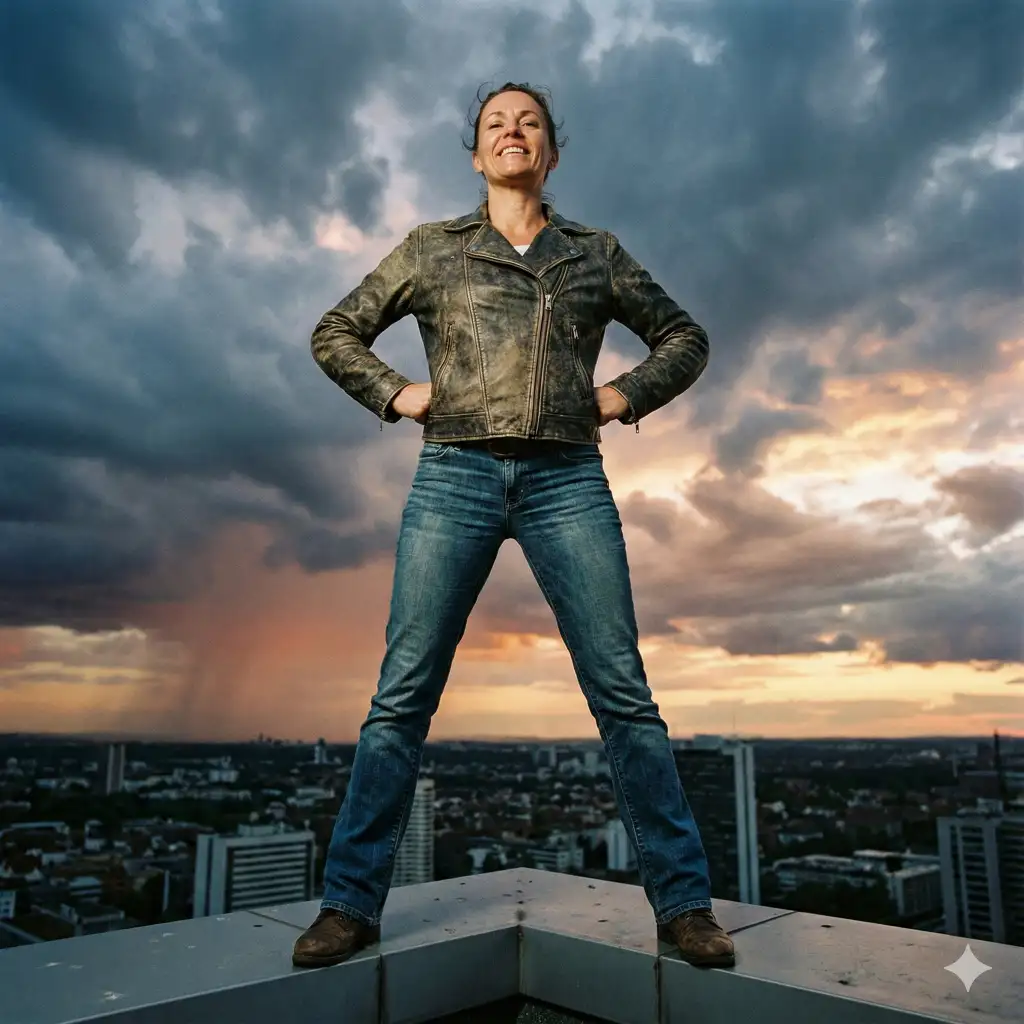
9. Low Angle Shot
Create a low angle shot of a person standing confidently on a rooftop, camera positioned below eye level, dramatic sky in the background, powerful posture, strong sense of dominance. Use aspect ratio 1:1.
 How to Create Consistent Characters Using Gemini Nano Banana Pro
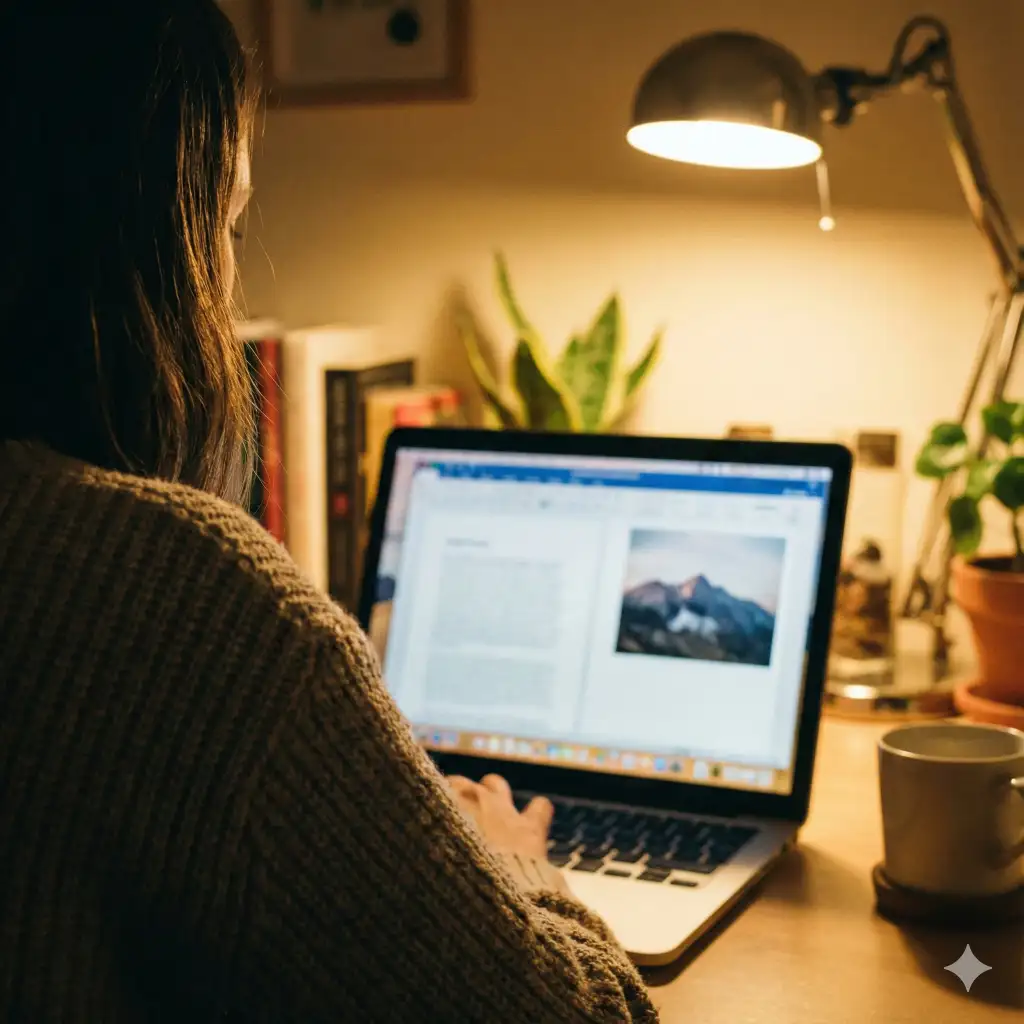
10. Over the Shoulder Shot
Create an over the shoulder shot of a person looking at a laptop screen, shoulder and back partially visible in the foreground, screen softly in focus, warm indoor lighting, realistic perspective. Use aspect ratio 1:1.
 21 Gemini Nano Banana Pro Prompts for Holiday Photos
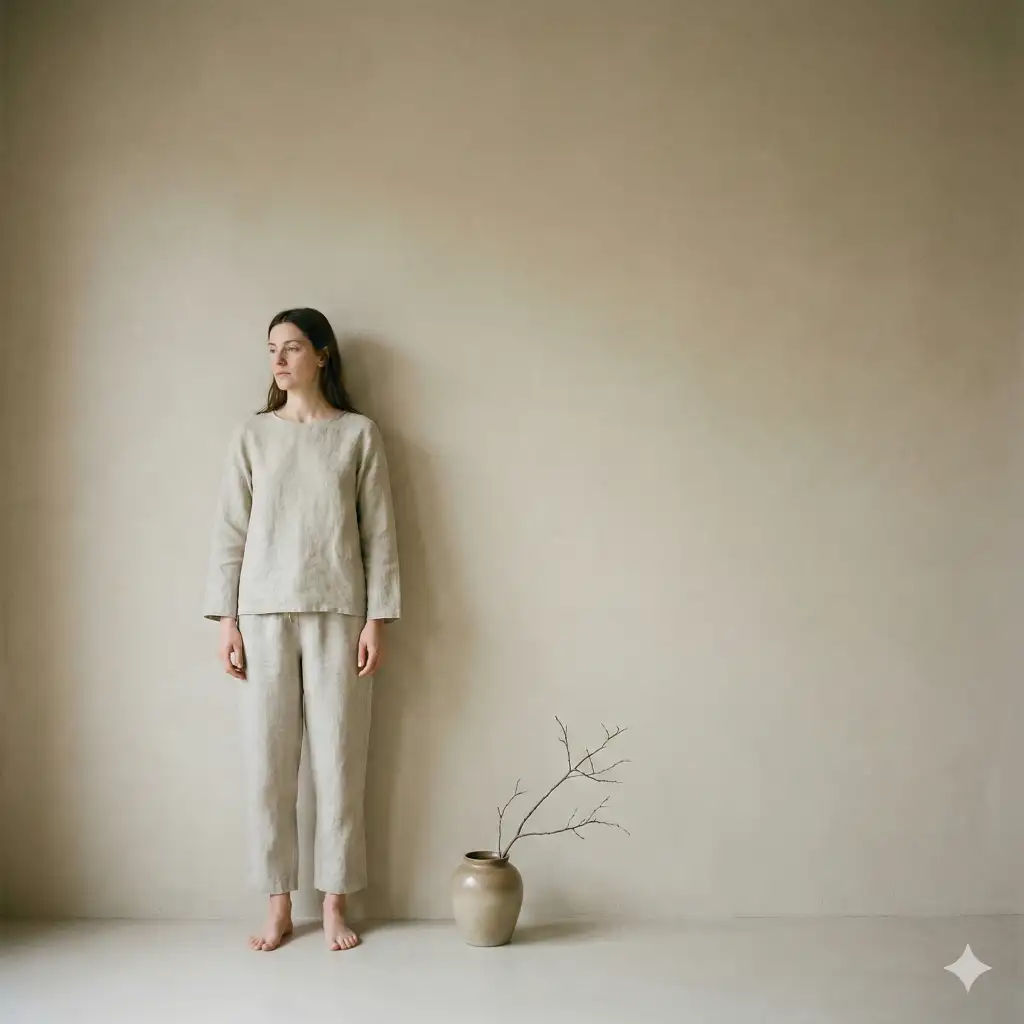
11. Off Center Shot
Create an off center shot of a person standing slightly to the left of the frame, negative space on one side, minimalist background, balanced composition, calm visual tone. Use aspect ratio 1:1.
 23 Gemini Nano Banana Pro Prompts for Different Cartoon Styles
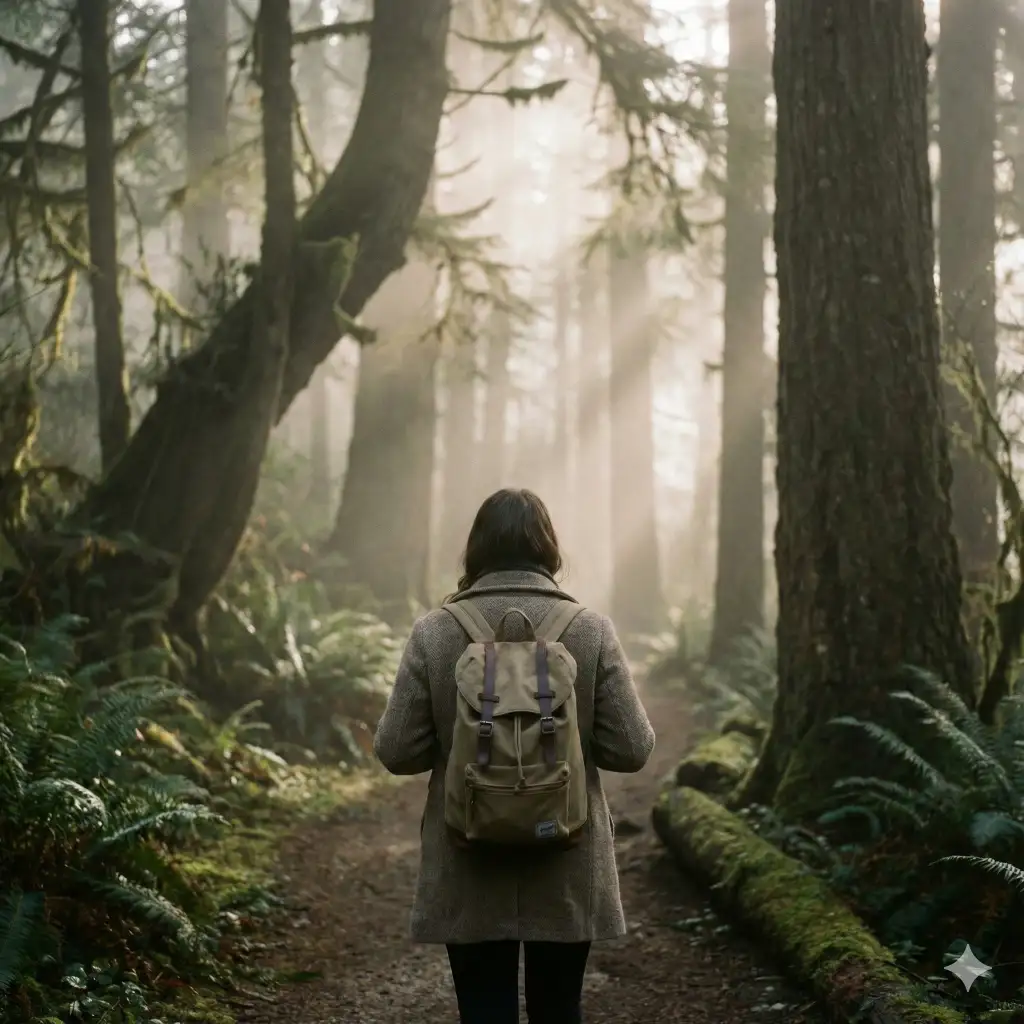
12. Shot From Behind
Create a shot from behind of a person walking down a foggy forest path, back facing the camera, soft light filtering through trees, cinematic depth, peaceful atmosphere. Use aspect ratio 1:1.
 17 Gemini Nano Banana Pro Prompts for Soulful Photos
13. Point of View Shot
Create a point of view shot of someone holding a coffee cup while sitting by a window, hands visible in the foreground, city view outside, natural morning light, immersive perspective. Use aspect ratio 1:1.

 15 Gemini Nano Banana Pro Prompts for Christmas Cards
Conclusion
The truth is, good photography is about intention. Every angle choice is a decision. Do you want to show power or vulnerability? Closeness or distance? Action or stillness?
Gemini Nano Banana Pro takes the guesswork out of asking an AI for what you want. It understands camera language. You get realistic photos that actually look like what you described. That matters when you’re trying to create specific moods or test out shots before you shoot them yourself.
Start with these 13 prompts. Try them out. See how different angles change the feeling of the same subject. Once you understand what each shot does, you can adapt these prompts to your own ideas. Mix and match. Add your own details.
The best camera angle is always the one that serves your story.