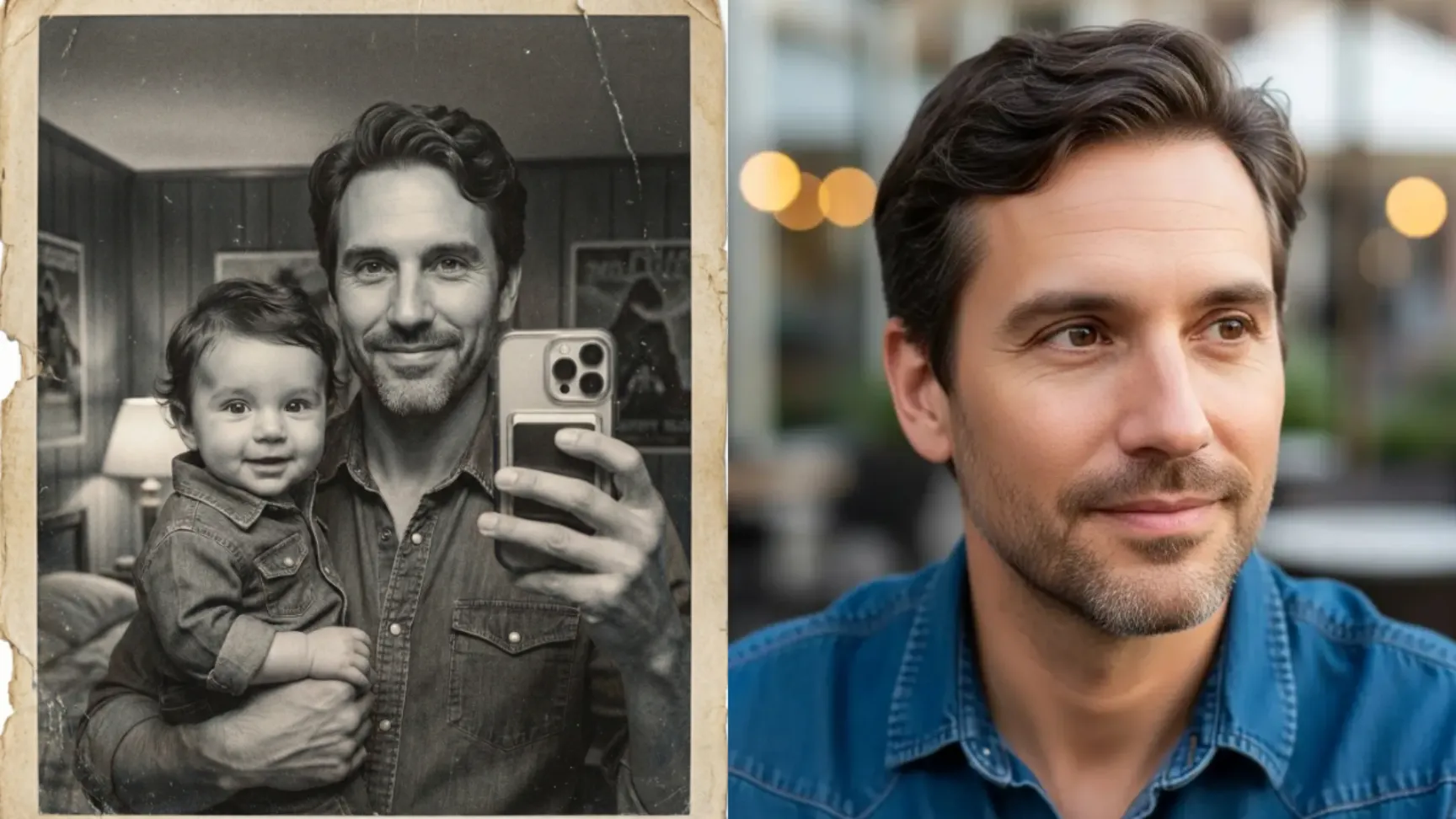
Imagine browsing through vintage family albums and stumbling upon a photo of your mother cradling you as an infant. Now imagine holding your own baby self in a photograph. While this might sound like pure fantasy, Google’s latest AI image technology transforms this whimsical concept into reality.
When I experimented with this technique, the outcome was both amusing and unexpectedly heartwarming. Witnessing yourself embrace a miniature version of yourself matching facial characteristics and all creates a peculiarly delightful experience.
Google’s recently launched Nano Banana image model, integrated within Gemini, demonstrates remarkable proficiency in photo manipulation. This AI model possesses sophisticated facial recognition capabilities that generate convincing age variations of your appearance.
The process is straightforward. Navigate to gemini.google.com and initiate a fresh conversation. Alternatively, access aistudio.google.com, select “generate media,” then opt for “nano banana.”
The Baby Version Prompt
Following is the reference photo I used.

 How to Turn Your Photo into Stickers Using Gemini
After setup, upload your photograph and input this prompt :
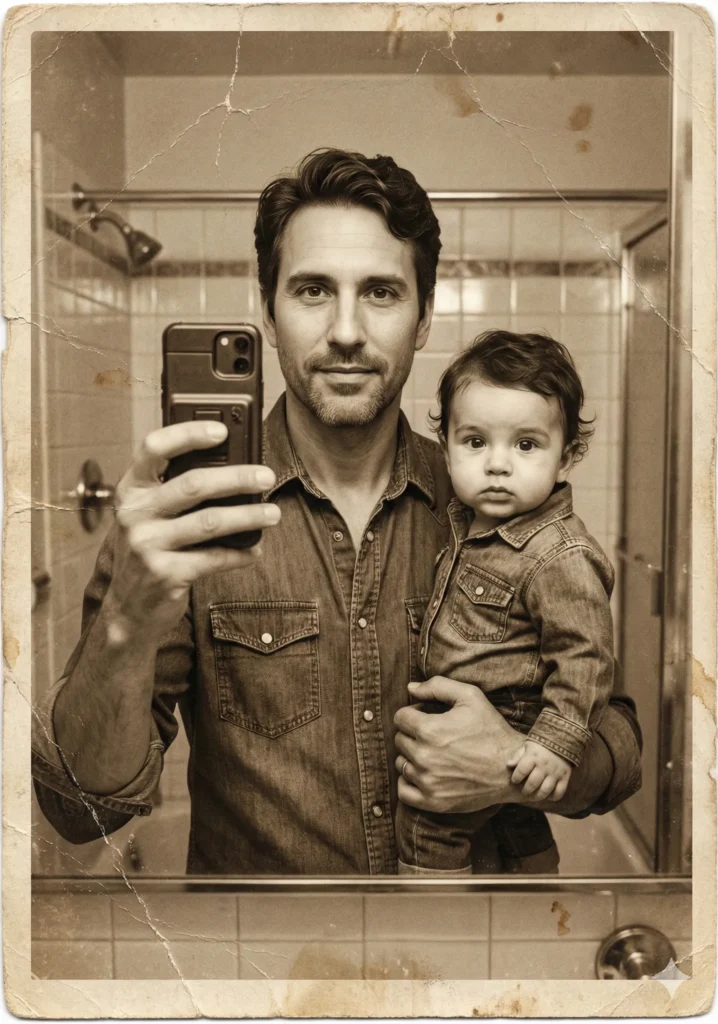
Create a retro style selfie of me holding my baby version. Use my uploaded photo as the adult reference. The baby should look like me but younger, as an infant, wearing same kind of dress I wore. The baby version should have the important facial features and hair style of the adult. Both of us should appear in the mirror phone selfie, with me holding the baby in one arm. The style should look like an old printed photo from the 1980s, with warm tones, slight grain, and a white border.

 How to Identify AI Photos using Gemini
This prompt succeeds because it provides precise instructions while specifying stylistic preferences. The retro aesthetic enhances appeal, and mentioning particular elements like warm color temperatures and grain texture produces an authentic vintage appearance.
7 Creative Prompt Variations to Try
Looking to experiment with different styles? Here are seven alternative approaches, each delivering distinct visual character:
1. Polaroid Instant Magic
Create a Polaroid-style selfie of me holding my baby version. Use my uploaded photo as the adult reference. The baby should look like me but as an infant, with similar features and hairstyle. I should be holding the baby in one arm while taking a mirror selfie. The photo should look like an instant film print from the late 70s, with soft faded colors, a Polaroid white frame, slight blur, and nostalgic overexposure on the edges.

 How to Restore Your Old Photos Using Gemini
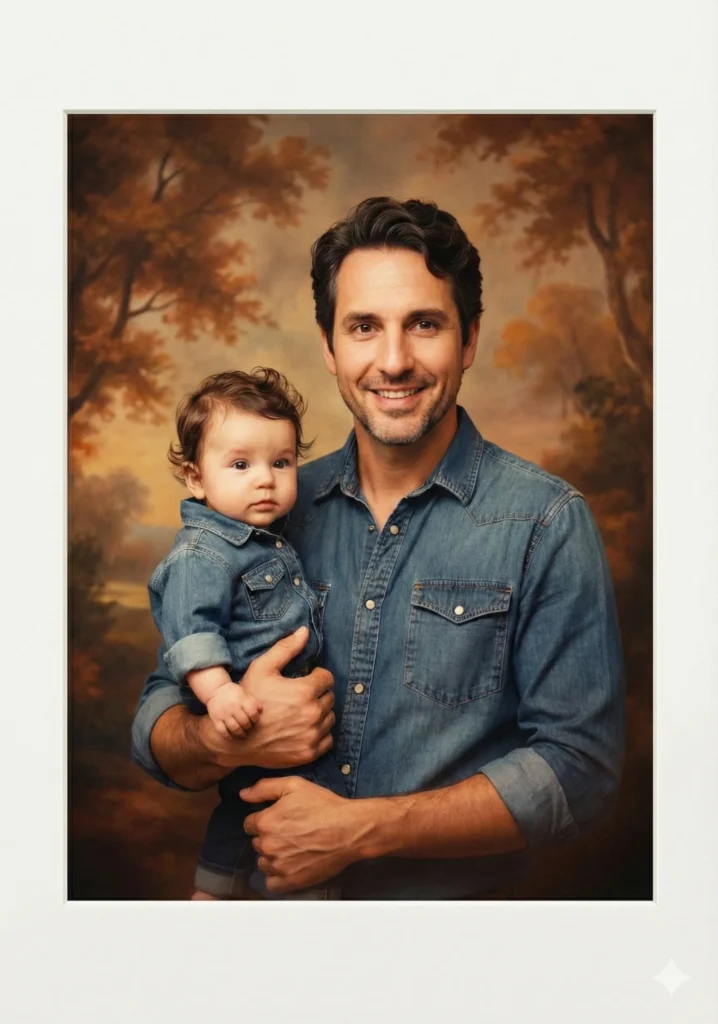
2. Vintage Studio Portrait
Create a retro studio portrait photo of me holding my baby version. Use my uploaded photo as the adult reference. The baby should look like me as an infant, with similar features and hairstyle. Instead of a mirror selfie, the shot should look like a posed portrait in front of a vintage painted backdrop, with warm film tones, slight vignette, and soft flash lighting typical of 1980s family portraits.
 How to Create Presentations Using Gemini
3. Classic Black and White
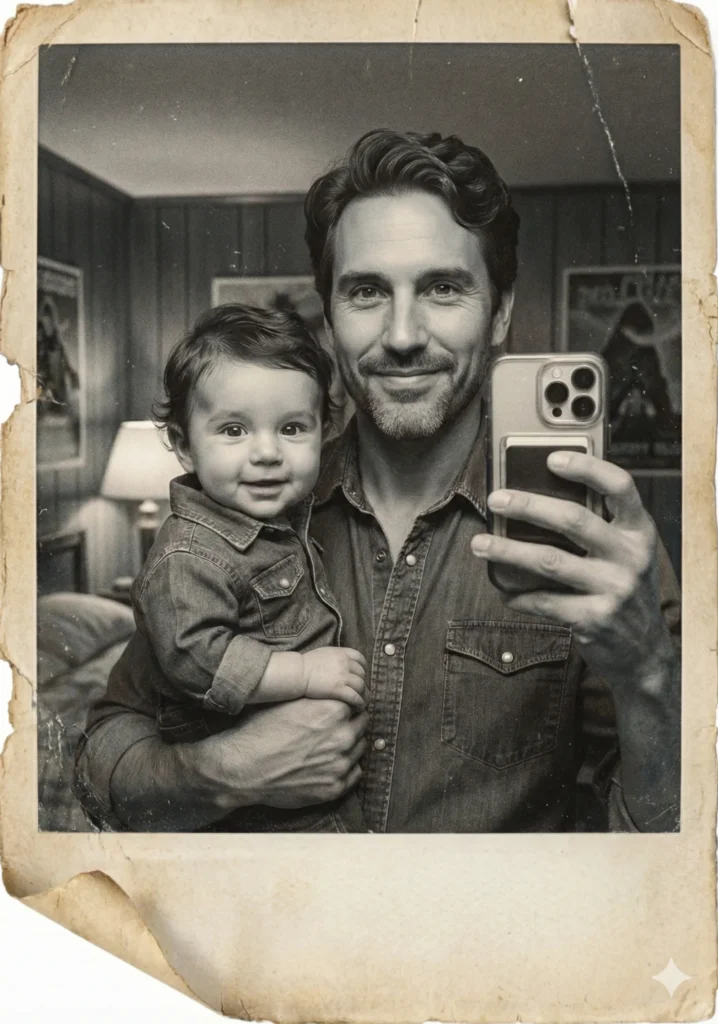
Create a black-and-white retro selfie of me holding my baby version. Use my uploaded photo as the adult reference. The baby should resemble me as an infant, with the same facial structure and hairstyle. I should be holding the baby in one arm while taking a mirror selfie. The photo should look like an old printed black-and-white photograph, with film grain, scratches, and slightly torn edges for a vintage touch.
 10 Use Cases of Gemini Nano Banana Pro You Should Know
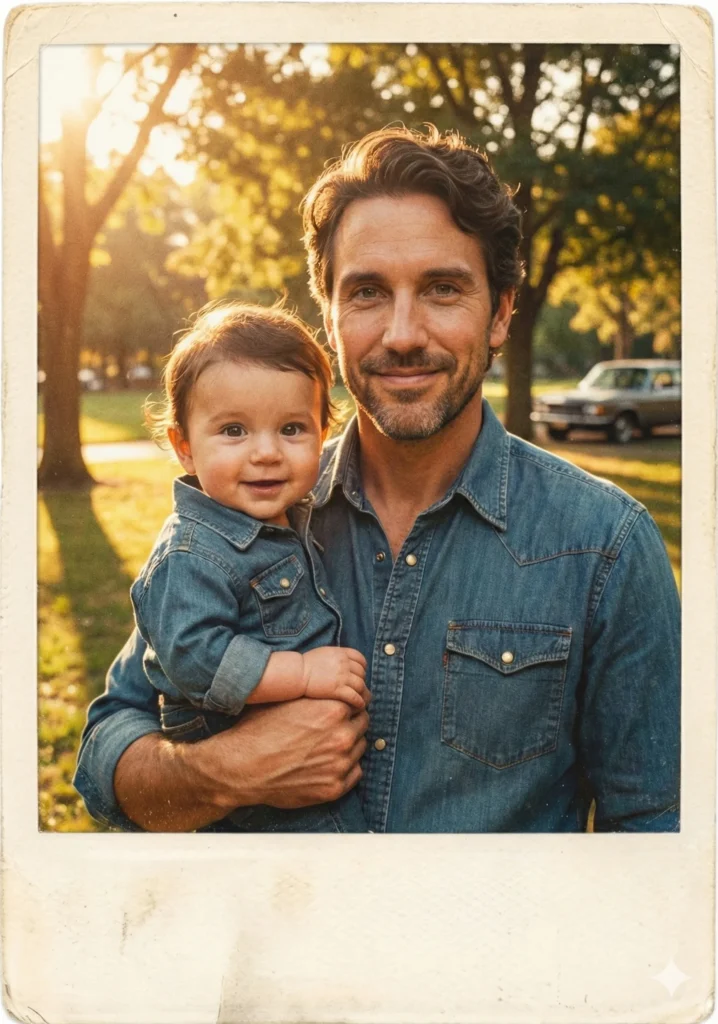
4. Sunny Outdoor Moment
Create a retro-style photo of me holding my baby version outdoors. Use my uploaded photo as the adult reference. The baby should look like me as an infant, with similar features and hairstyle. Instead of a mirror selfie, make it a candid outdoor shot under sunlight, as if taken during a summer afternoon in the 1980s. Add warm film tones, slight overexposure, and a faded postcard-like look.
 How to Create Passport Size Photo Using Gemini
5. Sepia Nostalgia
Create a sepia-toned retro photo of me holding my baby version. Use my uploaded photo as the adult reference. The baby should look like me as an infant, with important features and hairstyle. Both of us should appear in a mirror selfie. The photo should look aged, with sepia color grading, visible creases, slight fading, and textured paper to give it an authentic old-photo effect.
 How to Stop ChatGPT from Using Em Dashes
6. VHS Time Capsule
Create a retro VHS-style frame of me holding my baby version. Use my uploaded photo as the adult reference. The baby should look like me as an infant, with the same facial structure and hairstyle. I should be holding the baby in one arm while taking a mirror selfie. The picture should look like a freeze-frame from an old VHS tape, with visible scan lines, timestamp in the corner (1987), and a slightly blurred, nostalgic aesthetic.

 How to Animate Your Photos Using AI for Free
7. Dreamy Soft Focus
Create a dreamy retro-style selfie of me holding my baby version. Use my uploaded photo as the adult reference. The baby should look like me but younger, with matching hairstyle and features. Both of us should appear in the mirror selfie, but the photo should have a soft focus effect, pastel tones, warm 80s glow, and slight lens flares for a dreamy nostalgic feel.

 How to Create Your Professional Headshot Using Gemini
Upload a clear, well-lit photo where your face is visible and not obscured by shadows or accessories. The AI works better when it can clearly see your facial features.
Also try the same prompt multiple times. AI image generation can produce different results each time, so you might get an even better version on your second or third try.
Each variation produces unique mood and aesthetic qualities. The Polaroid approach delivers casual authenticity, whereas the studio portrait evokes formal family photography traditions. The VHS style perfectly recreates the appearance of vintage home video footage.
Generating these images proves remarkably entertaining, with results frequently appearing realistic enough to momentarily deceive viewers. Experiment with this technique and discover how your infant self might have appeared in your embrace.