A handmade or personalized New Year card carries a meaning that digital messages simply can’t match. It’s more than a quick text or social media post. It’s a thoughtful gesture that tells someone they matter as they step into a brand new year.
New Year cards feel deliberate in a way that generic greetings don’t. They give you the perfect opportunity to set the mood for the months ahead, whether you want to inspire optimism, spread calm energy, or share genuine excitement for what’s coming.
Make New Year Cards with ChatGPT’s New Image Feature
ChatGPT recently launched Images 1.5, and the results are genuinely stunning. Now you can design beautiful New Year cards even if you have zero design experience.
Here’s how to create your own:
- Visit chatgpt.com or launch the ChatGPT app on your device
- Tap the menu icon in the corner
- Choose the Images option from the menu
- Copy and paste any of the 15 prompts listed below
- Click generate and watch your custom card appear
You can also upload a reference image if you want the AI to replicate a specific style or aesthetic.
Now let’s dive into the 15 ChatGPT Prompts for New Year Cards.
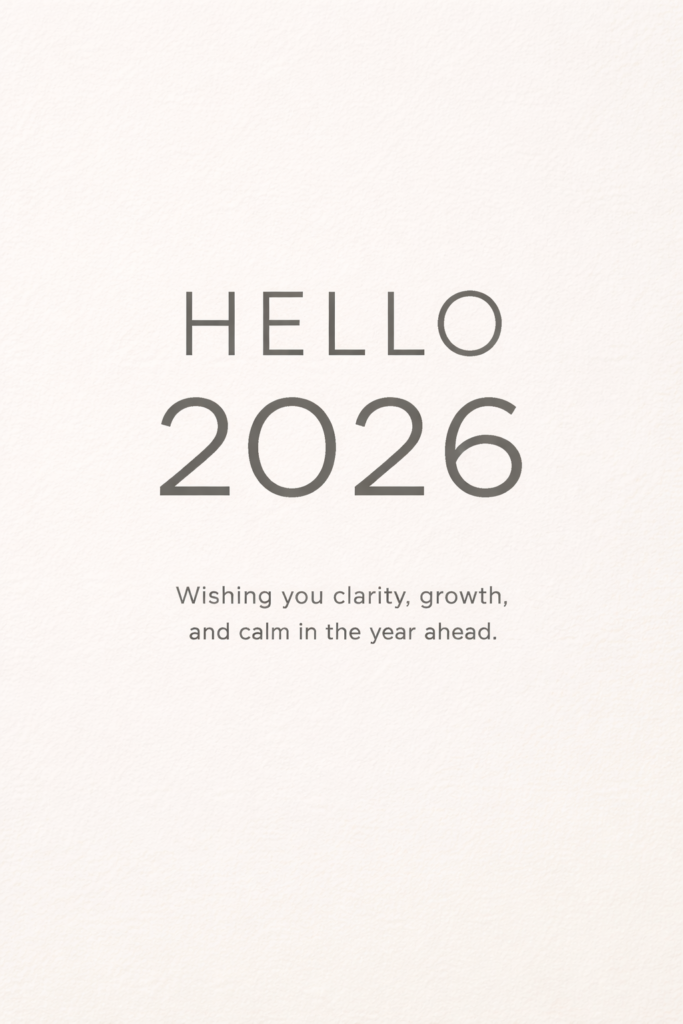
1. Minimal Typography New Year Card
Create a modern digital New Year card with a soft off-white background featuring a subtle paper grain texture. Place large bold sans-serif typography at the center displaying the text “HELLO 2026” in muted charcoal color. Below it, add smaller light-weight text reading “Wishing you clarity, growth, and calm in the year ahead”. Maintain generous white space, perfect alignment, and a clean minimalist aesthetic. Use aspect ratio 3:4.
 19 Gemini Nano Banana Pro Prompts for Christmas
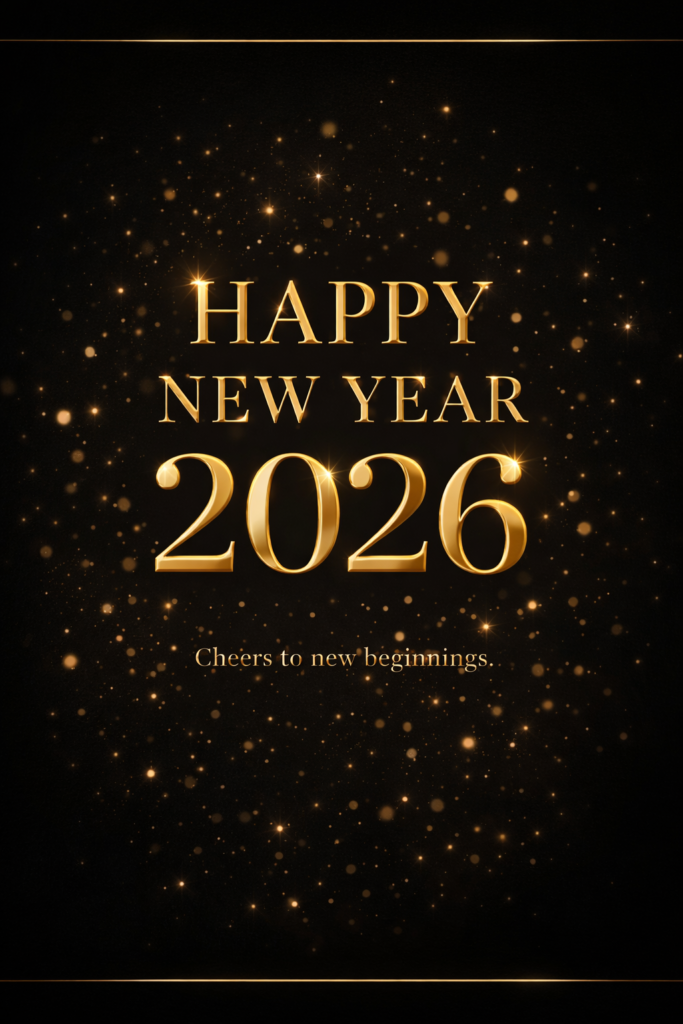
2. Luxury Gold New Year Card
Create an elegant luxury New Year card with a deep matte black background and gentle vignette edges. Use metallic gold foil-style typography to display “HAPPY NEW YEAR 2026” with realistic shine and reflections. Add soft glowing gold particles floating in the background and thin gold accent lines for refinement. Below, include smaller serif text reading “Cheers to new beginnings”. Use aspect ratio 3:4.
 12 Hunyuan Image 3.0 AI Photo Editing Prompts for Girls to Create High-Fashion Ultra-Realistic Portraits
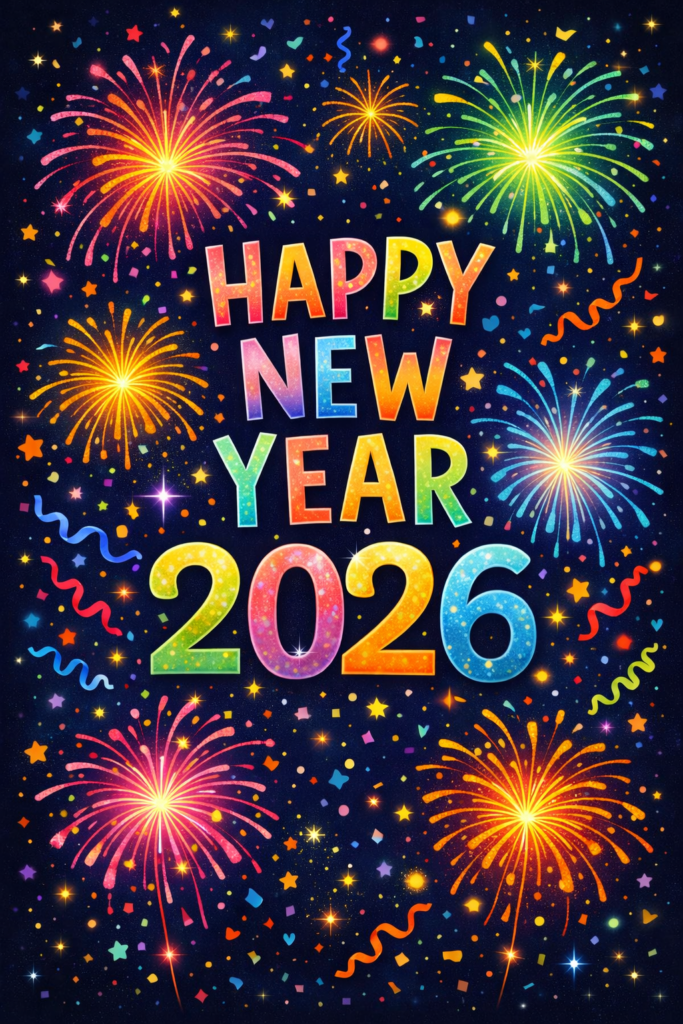
3. Festive Illustrated New Year Card
Create a vibrant illustrated New Year card with a midnight blue sky background filled with colorful hand-drawn fireworks, confetti, and sparkles. Place bold playful lettering in the center displaying “HAPPY NEW YEAR”, with “2026” beneath it in large bright numbers. Use layered illustration elements to create depth and a joyful celebratory mood. Use aspect ratio 3:4.
 22 Gemini Prompts for Profile Pictures
4. Photo-Based New Year Card
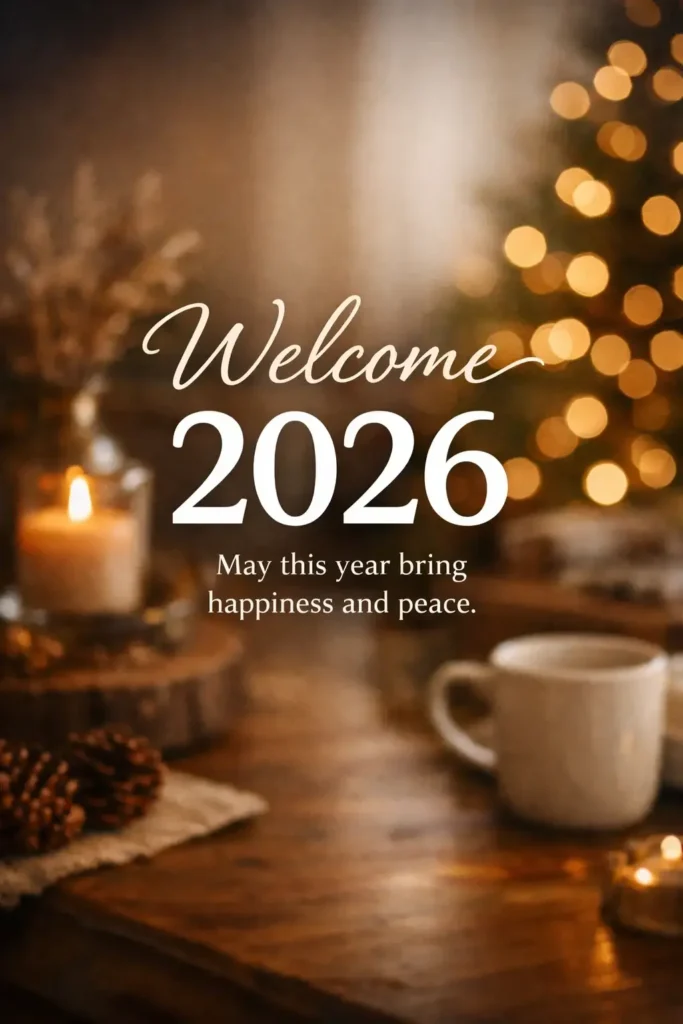
Create a photo-based New Year card using a warm lifestyle background photo with soft natural lighting and shallow depth of field. Apply a subtle dark gradient overlay to the image. Overlay clean modern text reading “Welcome 2026” in white, with smaller text below saying “May this year bring happiness and peace”. Keep the mood warm, optimistic, and natural. Use aspect ratio 3:4.
 10 Gemini Nano Banana Pro Prompts for High Contrast Cinematic Portraits
5. Animated-Style New Year Card (Static Look)
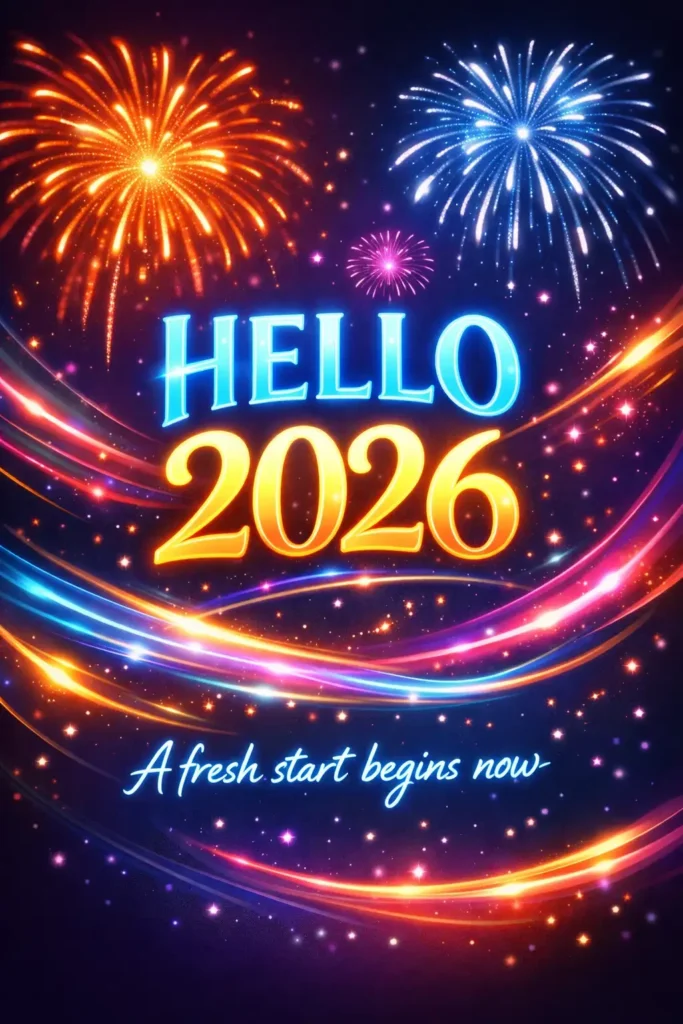
Create a digital New Year card that visually feels animated, using a dark gradient background transitioning from deep purple to midnight blue. Add glowing light trails, motion-blur style fireworks, and luminous typography displaying “HELLO 2026”. Beneath it, include glowing text that reads “A fresh start begins now”. The design should suggest motion while remaining a static image. Use aspect ratio 3:4.
 15 Gemini Prompts for Stunning Christmas Portraits
6. Corporate Professional New Year Card
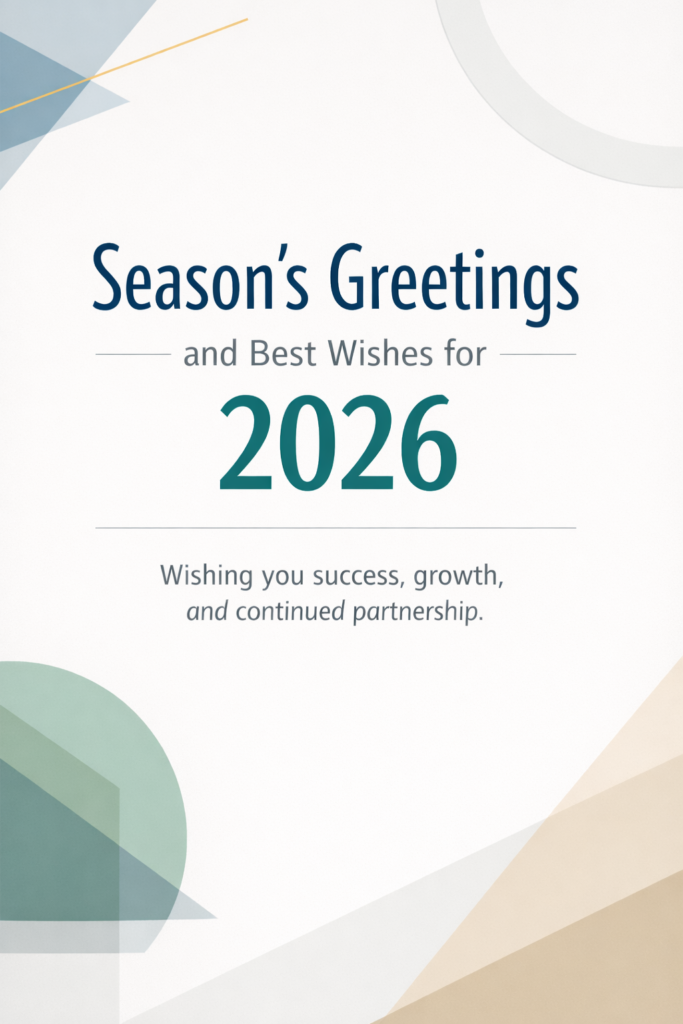
Create a professional New Year greeting card with a clean light background featuring subtle geometric shapes in muted corporate colors. Use modern sans-serif typography to display “Season’s Greetings and Best Wishes for 2026”. Below, add smaller text reading “Wishing you success, growth, and continued partnership”. The layout should feel structured, formal, and polished. Use aspect ratio 3:4.
 17 Gemini Nano Banana Pro Prompts for Soulful Photos
7. Handwritten Calligraphy New Year Card
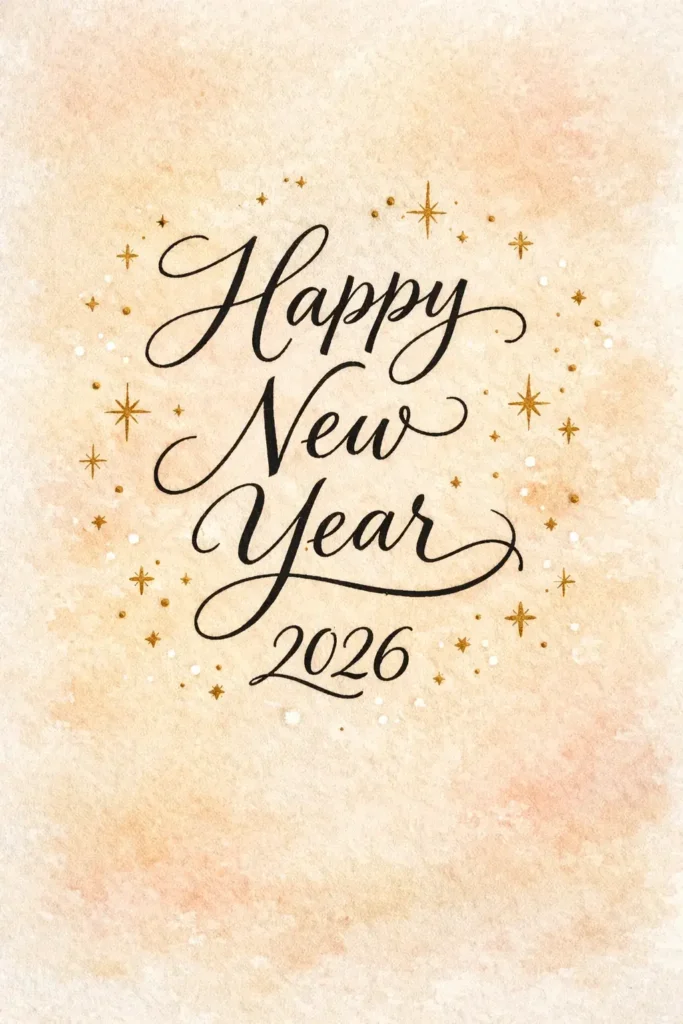
Create a warm, personal New Year card with a soft textured background resembling handmade paper or watercolor wash. Use elegant handwritten calligraphy to display “Happy New Year” with “2026” written just below in a complementary style. Add small delicate stars and dots around the text for charm, keeping the design cozy and intimate. Use aspect ratio 3:4.
 21 Gemini Nano Banana Pro Prompts for Cinematic Urban Photos
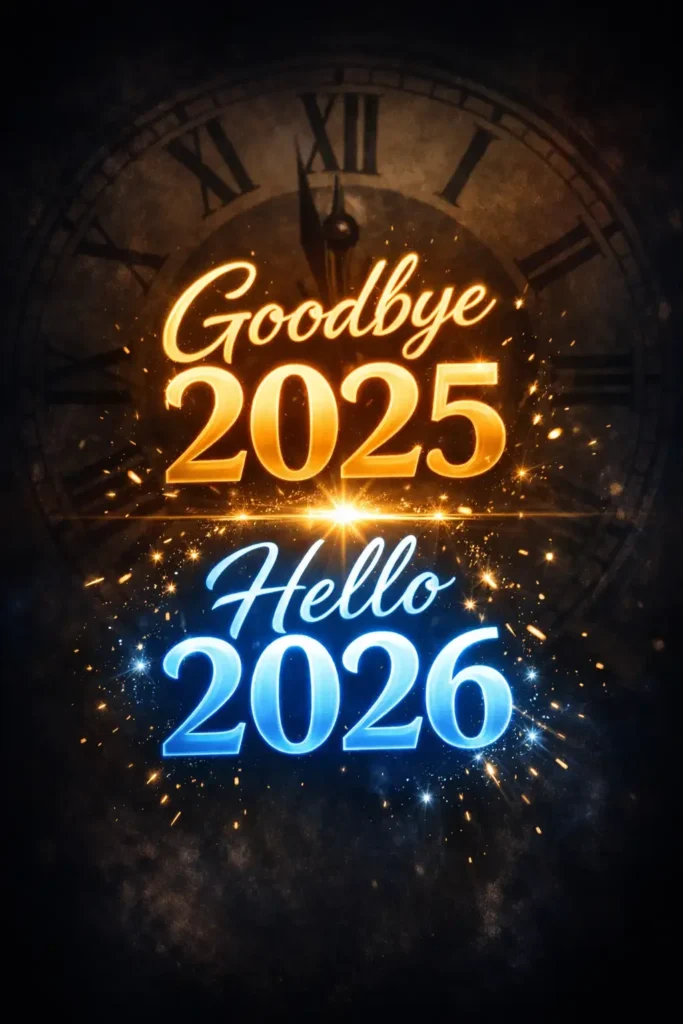
8. Countdown-Theme New Year Card
Create a countdown-themed New Year card with a dark background featuring a large faded clock face subtly blended into the backdrop. Highlight bold glowing typography in the center displaying “Goodbye 2025” above “Hello 2026”. Add soft light flares and subtle spark effects to represent the moment of transition. Use aspect ratio 3:4.
 21 Gemini Nano Banana Pro Prompts for Logo Design
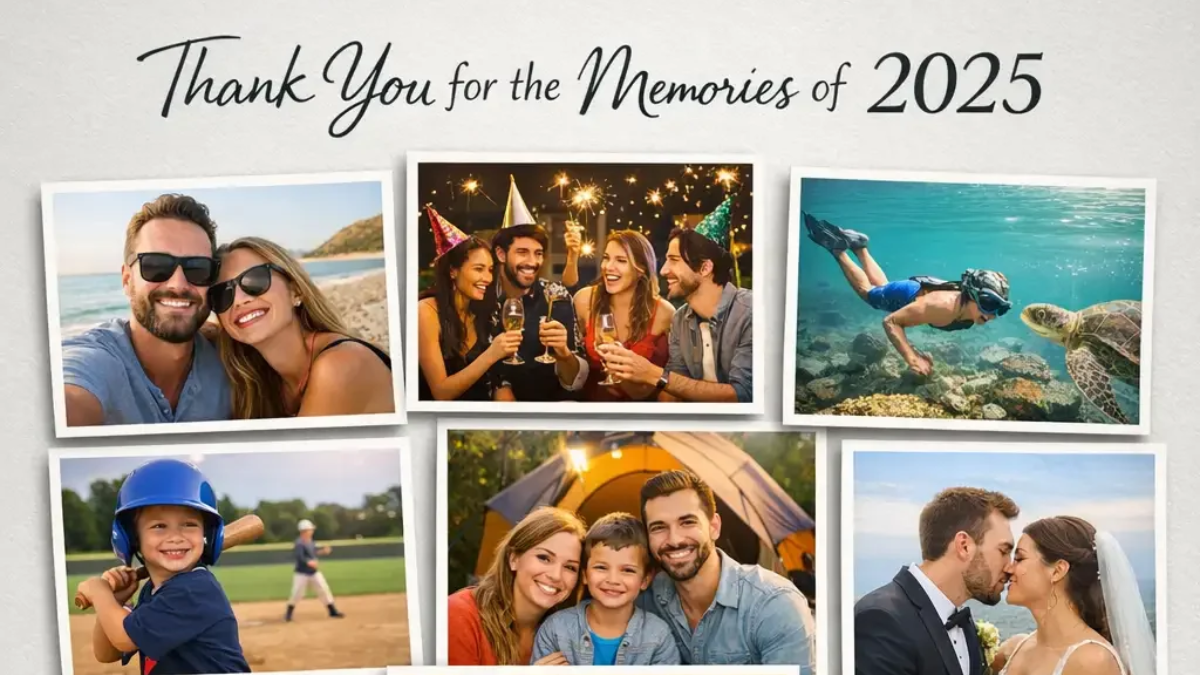
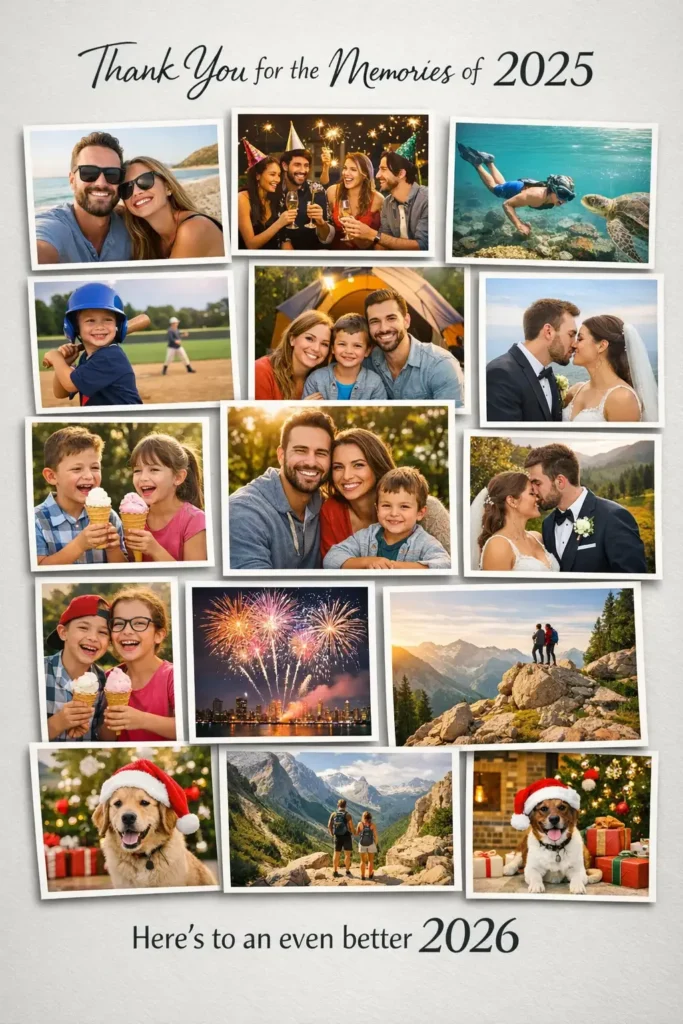
9. Year-in-Review Photo Collage Card
Create a digital New Year card designed as a photo collage featuring multiple rectangular photo frames arranged neatly on a neutral background. Add soft drop shadows under each image. At the top, include text reading “Thank You for the Memories of 2025”, and at the bottom add “Here’s to an even better 2026” in clean modern typography. Use aspect ratio 3:4.
 10 Gemini Nano Banana Pro Prompts for Fun Surreal Photos
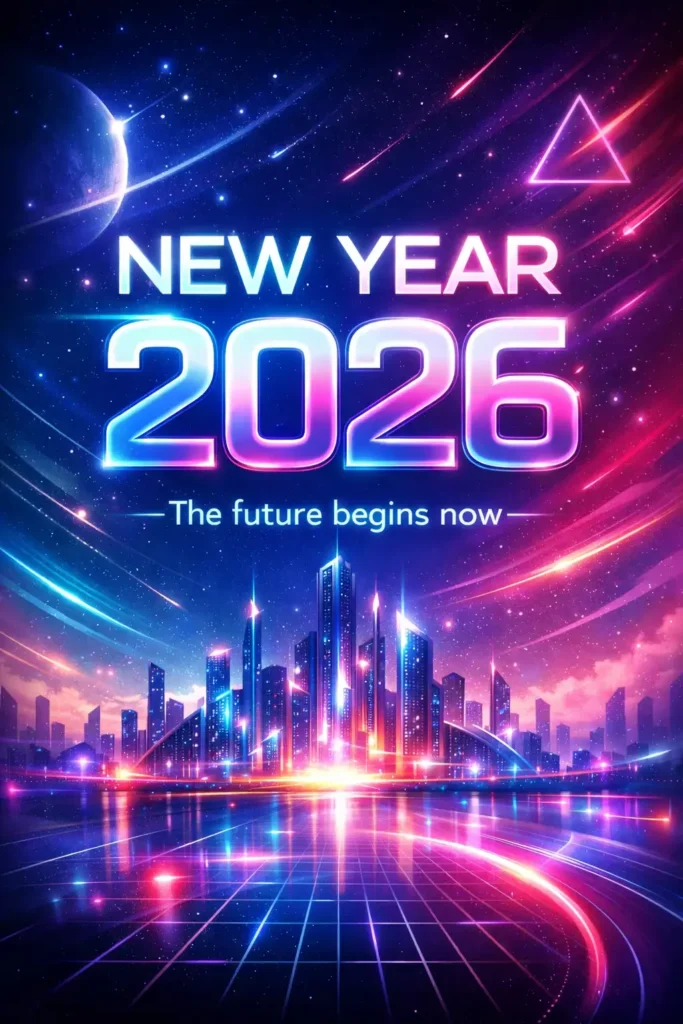
10. Futuristic AI Art New Year Card
Create a futuristic New Year card with an abstract digital background featuring neon gradients, glowing geometric shapes, and a subtle sci-fi cityscape. Use modern typography with light glow effects to display “NEW YEAR 2026”. Below it, include the line “The future begins now”. The overall look should feel bold, imaginative, and forward-looking. Use aspect ratio 3:4.
 How to Create Three Frame Photos Using Gemini Nano Banana
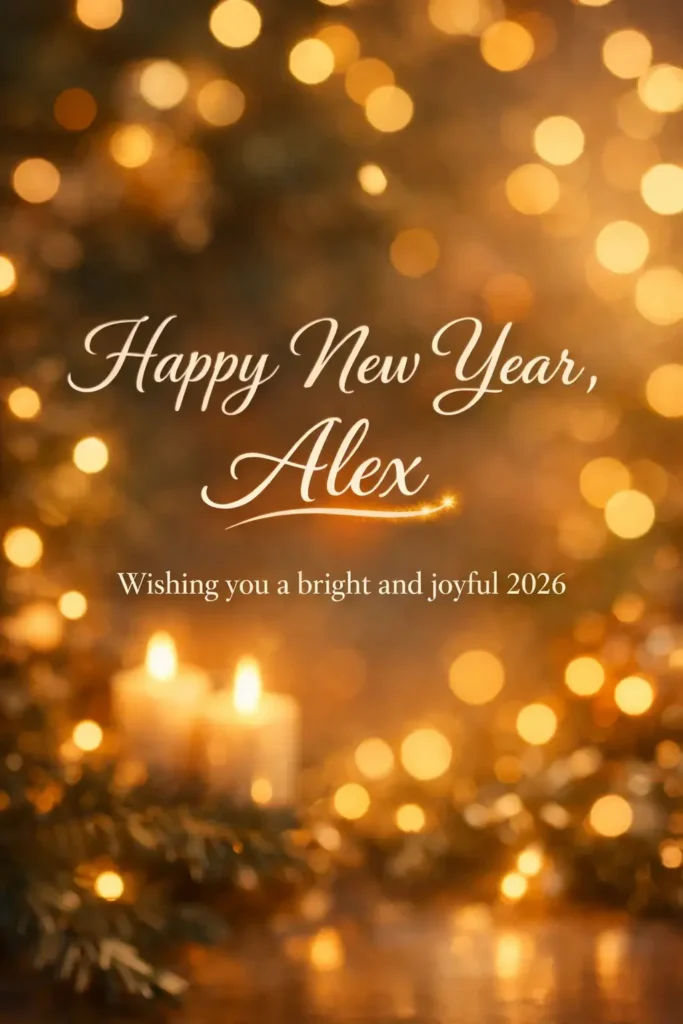
11. Personalized Name New Year Card
Create a personalized New Year card with a softly blurred festive background featuring warm glowing lights. Display elegant centered typography reading “Happy New Year, Alex” with “Wishing you a bright and joyful 2026” below it. Highlight the name with a subtle glow or underline to emphasize personalization while keeping the design warm and thoughtful. Use aspect ratio 3:4.
 Gemini Nano Banana Pro Prompts for Camera Angles
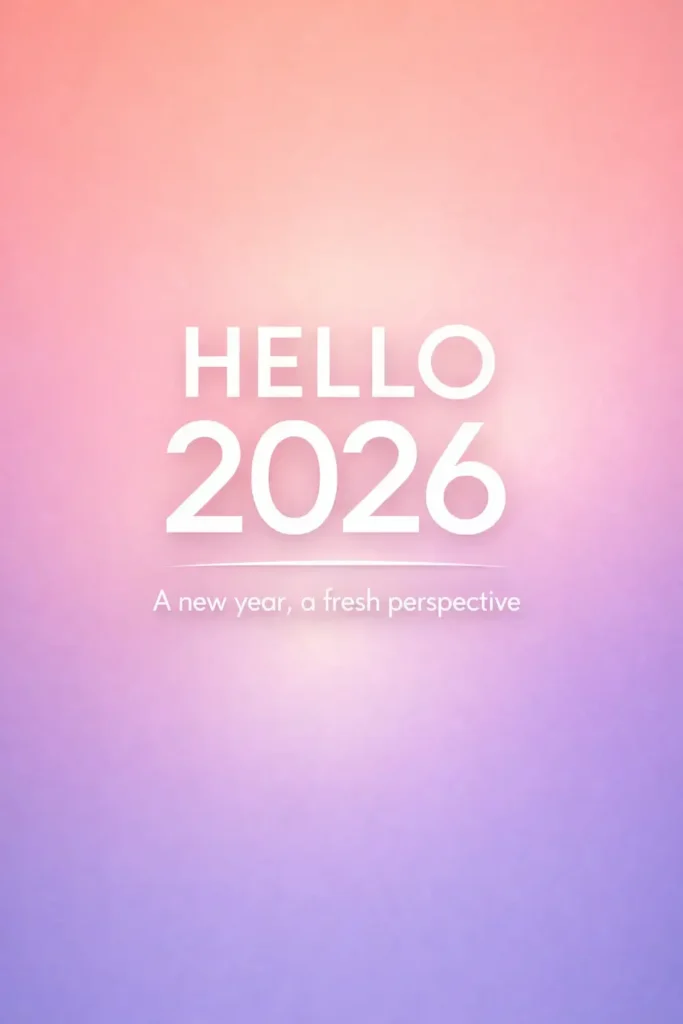
12. Soft Gradient Glow Card
Create a modern New Year card with a smooth vertical gradient background transitioning from warm peach at the top to soft lavender at the bottom. Add a subtle glow bloom around the center area. Place bold clean typography in the middle displaying “HELLO 2026”. Below it, add smaller text reading “A new year, a fresh perspective”. Keep the design airy, optimistic, and calm. Use aspect ratio 3:4.
 15 Gemini Nano Prompts for Colorful Lettering Art
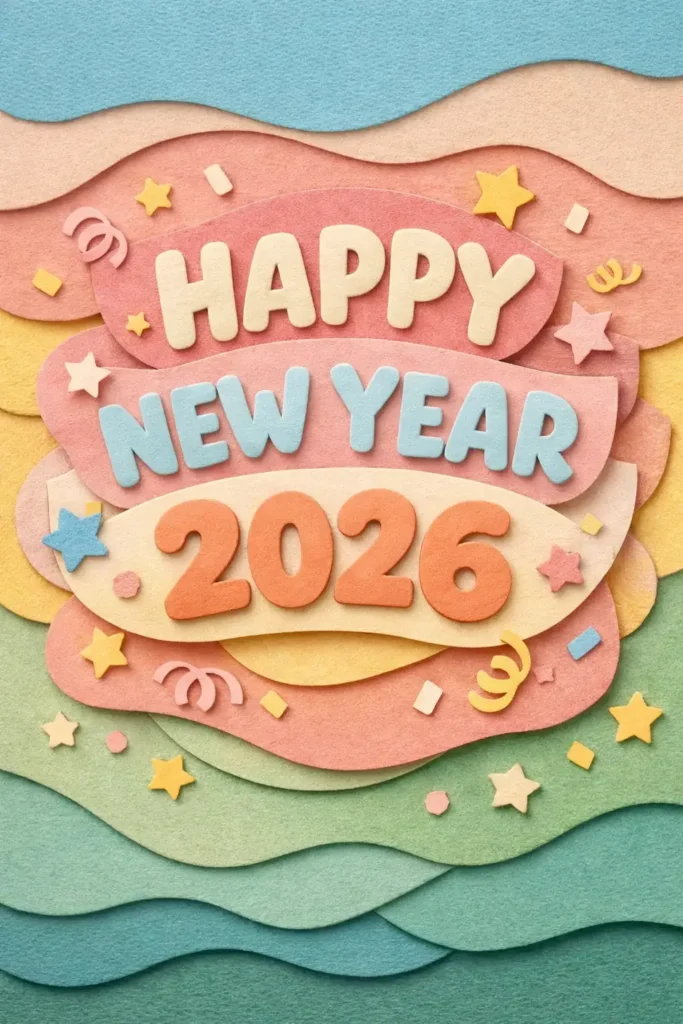
13. Paper Cut Style Card
Create a New Year card using a layered paper-cut illustration style. Use soft pastel paper textures stacked with visible depth and shadows. Place rounded typography in the center displaying “HAPPY NEW YEAR 2026”. Add small cutout stars and confetti shapes floating gently around the text. The mood should feel playful and handcrafted. Use aspect ratio 3:4.
 20 Gemini Nano Banana Pro Prompts for Realistic Portrait Photos
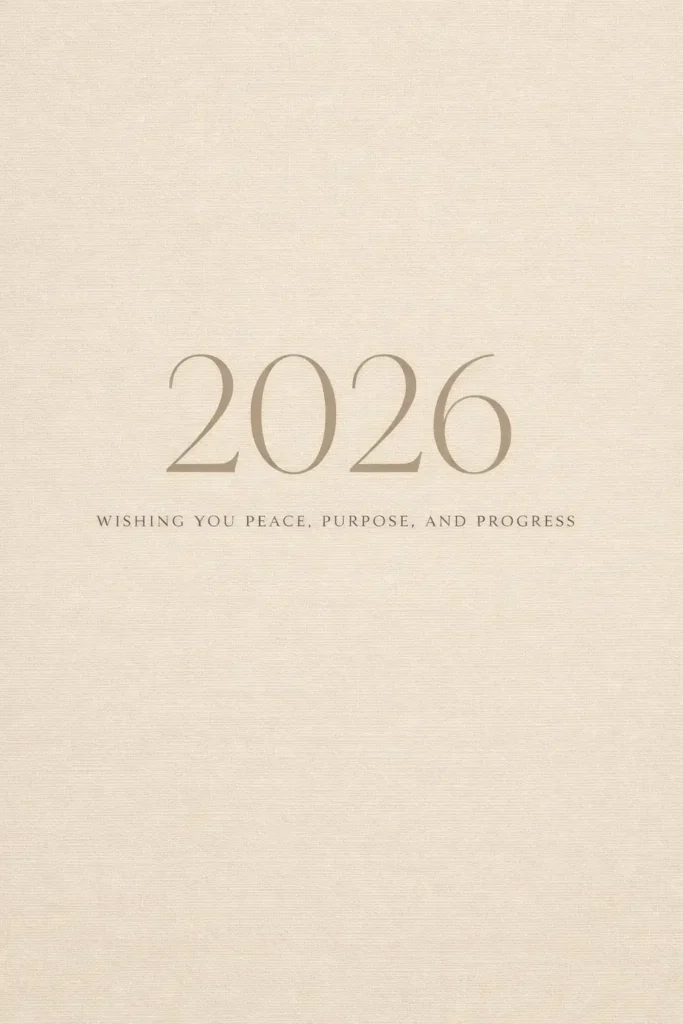
14. Calm Neutral Aesthetic Card
Create a minimalist New Year card with a warm beige background and subtle linen texture. Use thin elegant serif typography to display “2026” at the center. Below it, add small spaced text reading “Wishing you peace, purpose, and progress”. Keep the palette neutral and soothing with no bright accents. Use aspect ratio 3:4.
 15 ChatGPT Prompts for Cinematic Portraits
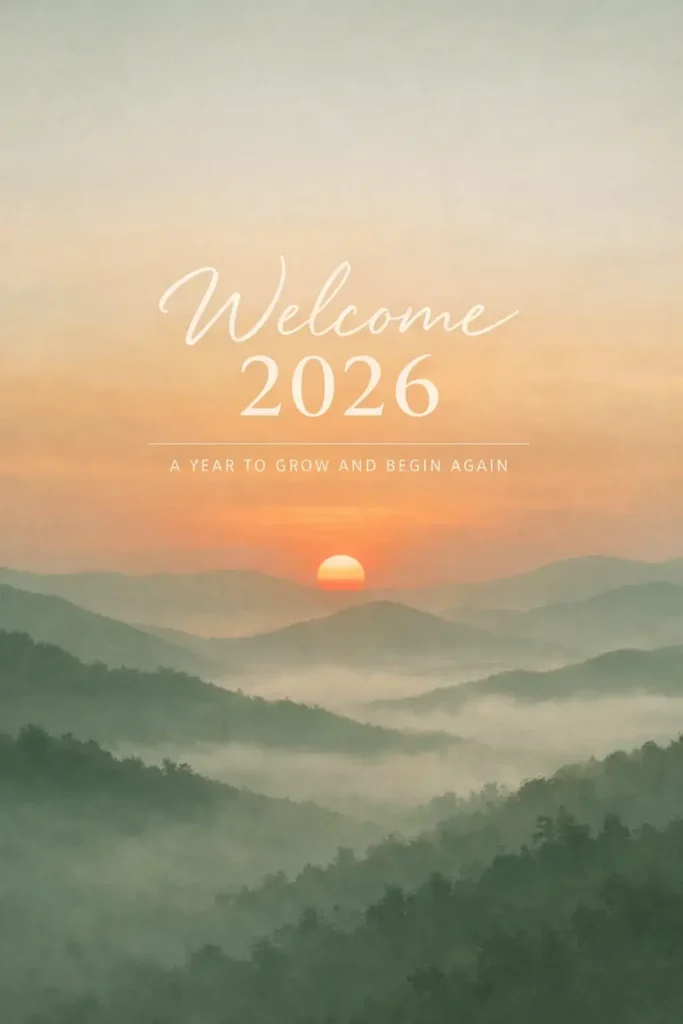
15. Nature-Inspired New Year Card
Create a serene New Year card with a minimal nature background showing a soft sunrise over mountains or hills, slightly misty and calm. Use muted natural colors like sage green and warm orange. Place centered text reading “Welcome 2026” with a smaller line below saying “A year to grow and begin again”. Use aspect ratio 3:4.
 15 Gemini Nano Banana Pro Prompts for Corporate Style Photos
These 15 prompts offer an excellent starting point, but they’re designed to be fully customizable. Want to switch up the color palette? Replace the names? Include specific dates or heartfelt personal messages? ChatGPT’s image generation handles all of these adjustments effortlessly.
The real advantage of this method is that you skip the expense of hiring a professional designer or the frustration of spending hours learning Photoshop. You’re working with a tool that interprets your creative vision and transforms it into a finished card within minutes.
Whether you’re creating cards for friends, family members, work colleagues, or business clients, these designs span every style and tone you could possibly need. Choose the prompts that reflect your personality and start designing today.
Happy card making, and here’s to an amazing 2026.